 AudioBook
 Settings
General
Host, security, proxy, logging and backups.
Settings > General has sections for Host, Security, Proxy, Logging and Backups. Security has its own page.
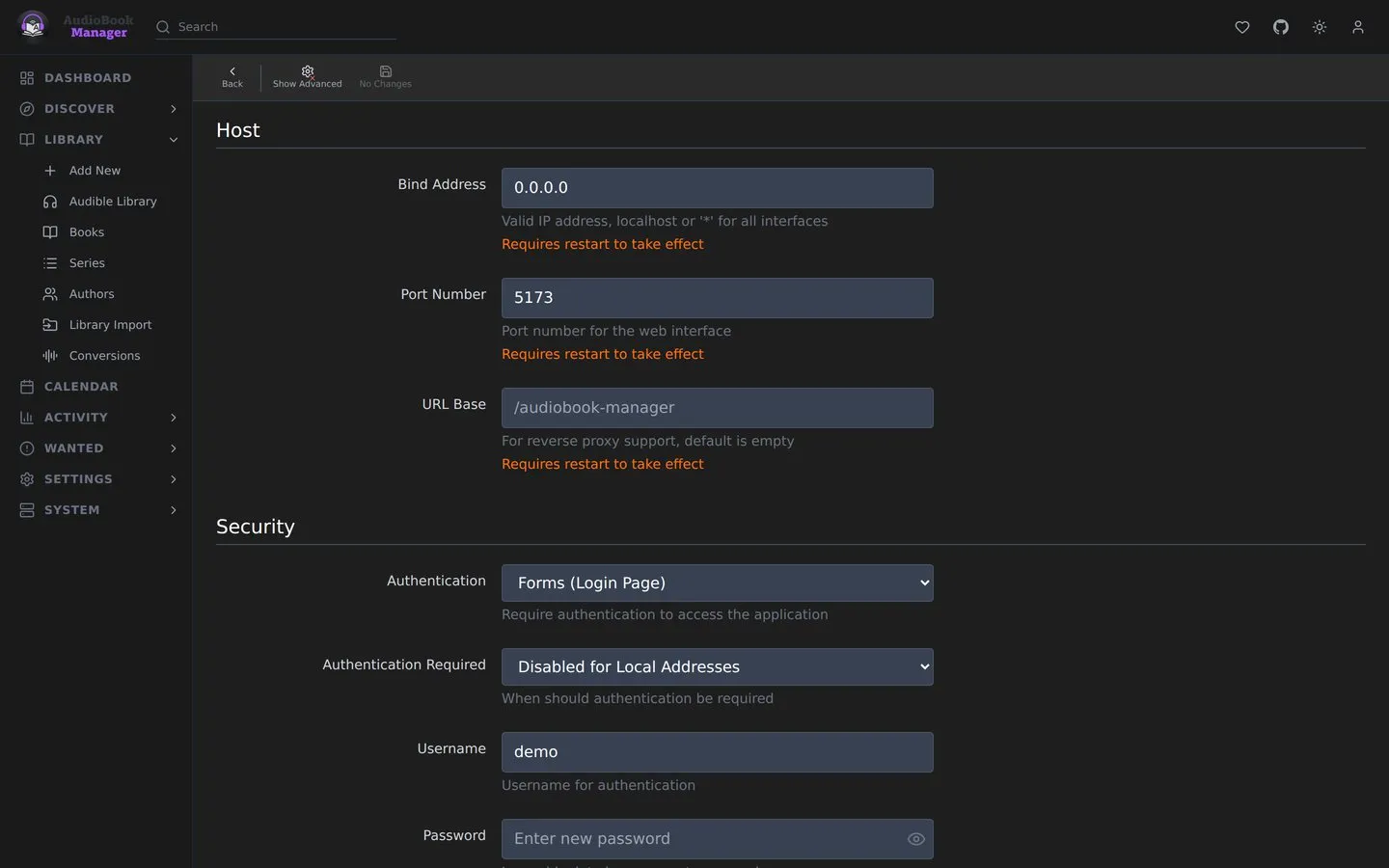
| Setting | Default | Effect |
|---|---|---|
| Bind Address | * |
Address to listen on. Needs a restart |
| Port Number | 5173 | Needs a restart |
| URL Base | empty | A path prefix, for reverse proxy sub-folders such as /audiobook-manager. Needs a restart |
| Instance Name | Audiobook Manager | Shown in the tab and used as the syslog app name |
| Application URL | empty | The external address, including http(s)://, port and URL base |
| Enable SSL | off | ABM serves HTTPS itself. Takes a certificate path and a key path. Needs a restart |
In Docker the environment variables PORT and the compose port mapping are what matter in practice. See Environment variables.
How ABM reaches the internet for metadata, covers and Audible pages.
| Setting | Default | Effect |
|---|---|---|
| Use Proxy | off | Route external requests through a proxy |
| Proxy Type | HTTP | HTTP, HTTPS, SOCKS4 or SOCKS5 |
| Hostname, Port | empty | Proxy address |
| Username, Password | empty | Optional |
| Bypass Addresses | localhost,127.0.0.1 |
Hosts that skip the proxy |
| Test Connection | Test Proxy checks the proxy. It needs a hostname |
The section also shows your outgoing IP as external services see it. A choice of connection, including a built-in VPN, is planned for a later release.
Logging
Section titled “Logging”| Setting | Default |
|---|---|
| Log Level | Info |
| Console Log Level | Info |
| Log File Retention | 30 days, 0 keeps forever |
| Activity Log Retention | 90 days, 0 keeps forever |
| Book History Retention | 0 (keep) |
| Security Log Retention | 30 days, 7 at least. Never Delete Security Logs keeps them forever |
| Automatic Cleanup | on |
| Cleanup Time | 03:00 |
| SQL Logging | off. Very verbose |
| Parser Log Level, Matcher Log Level | Info. High volume at Debug |
See Logs and the Activity Log.
Backups
Section titled “Backups”| Setting | Default | Effect |
|---|---|---|
| Backup Folder | /config/backups |
Where backups go |
| Automatic Backups | off | Scheduled backups |
| Schedule Frequency | Daily | Daily, weekly or monthly, with day and time. Or Use Cron Expression. Day of Week is 0 to 6 from Sunday (a cron 0 is Sunday too) and Day of Month is 1 to 28; anything else is refused with HTTP 422. A schedule or cron expression ABM cannot build is refused with HTTP 400 that names the field, and nothing is saved |
| Backup Retention | 28 days | 0 keeps forever |
| Auto-Export on Backup | on | After each backup, send it to export targets marked Auto |
| Export Targets | none | Remote destinations: SFTP, SCP, FTPS, FTP, S3 or rclone |
See Backups.