 AudioBook
 Audiobooks,
handled.
ABM finds the audiobooks you want, grabs them with the download client you already run, and files them so Audiobookshelf finds a tidy library.
Not released yetThese install steps start working with the first release.
Audiobooks deserved their own *arr.
TV has Sonarr. Films have Radarr. Readarr, built on the same Servarr foundations, handled books and audiobooks together, and it has since been retired.
ABM picks up that path for audiobooks alone. It's built on the design the Servarr apps pioneered, and shaped around narrators, series positions, multi-disc releases and M4B.
Audiobookshelf plays your library beautifully. It just doesn't go looking for the next book in a series, or clean up what lands. That's the part ABM does.
Beforeby hand
Downloads/
  DCC.Bk4.The.Gate.of.the.Feral.Gods.MP3-WEB/
    CD1/  CD2/  CD3/
    01 - Track 01.mp3
  Project Hail Mary (Unabridged) [128k]/
    phm_part1of3.m4b
Mark of the Fool 6 - J.M. Clarke [2024].zipAfterby ABM
Audiobooks/
  Matt Dinniman/
    Dungeon Crawler Carl/
      Vol 04 - 2021 - The Gate of the Feral Gods/
  Andy Weir/
    Project Hail Mary/
  J.M. Clarke/
    Mark of the Fool/
Vol 06 - 2024 - Mark of the Fool 6/Five steps. You do the first one.
- 01
Want
Add a book, a series or a whole author. ABM puts it on the Wanted list and keeps watching.
- 02
Find
Your Usenet and torrent indexers get checked on a schedule, or right now if you hit search.
- 03
Grab
The best release your quality profile allows goes to the download client you already run.
- 04
File
It's imported, renamed and filed under author and series. Multi-disc releases keep their sub-folders when books move.
- 05
Keep
Your metadata, your call: you choose what ABM keeps and writes, and where your player reads it. Allow upgrades in a quality profile and ABM swaps in a better release when one turns up.
What you get
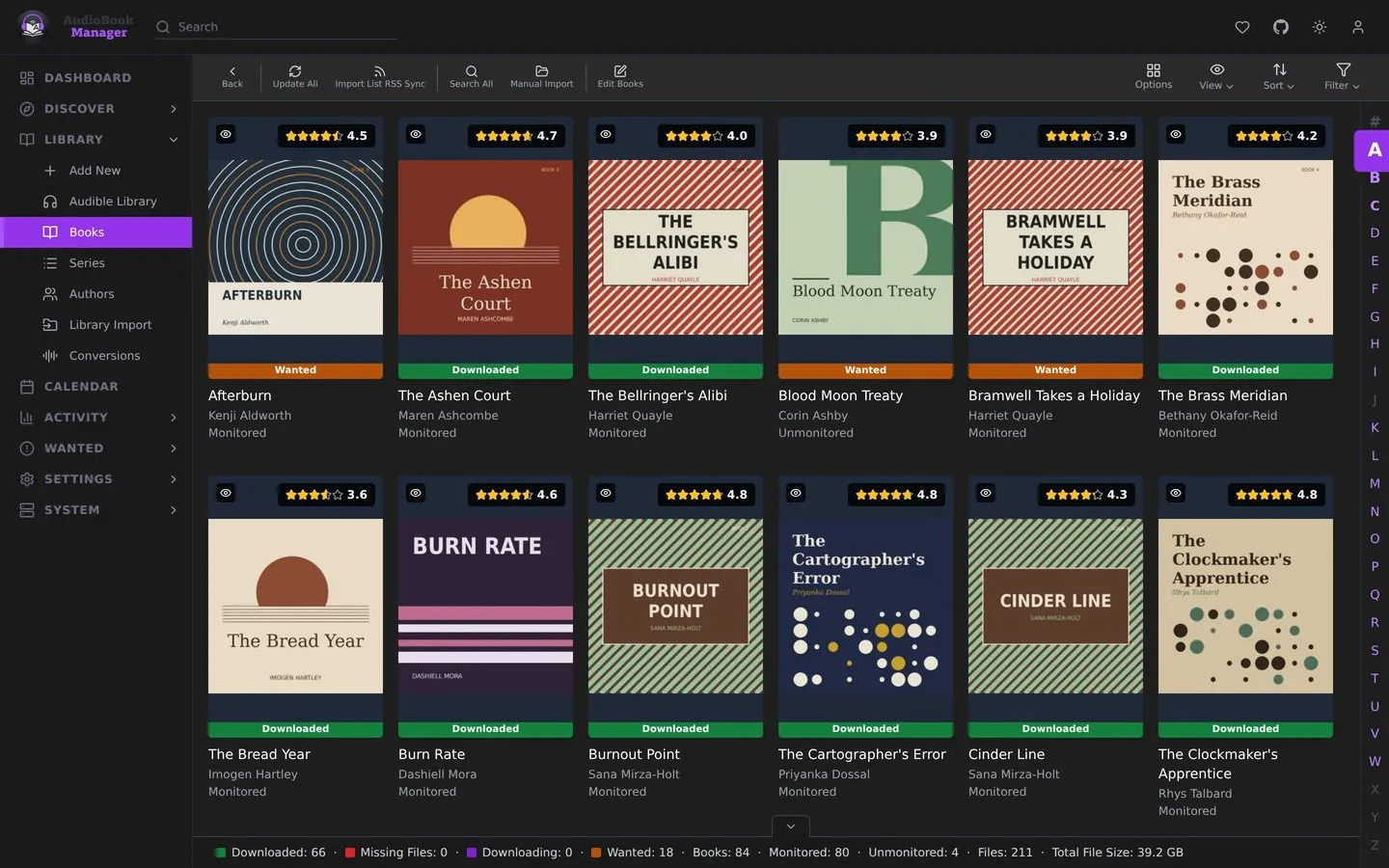
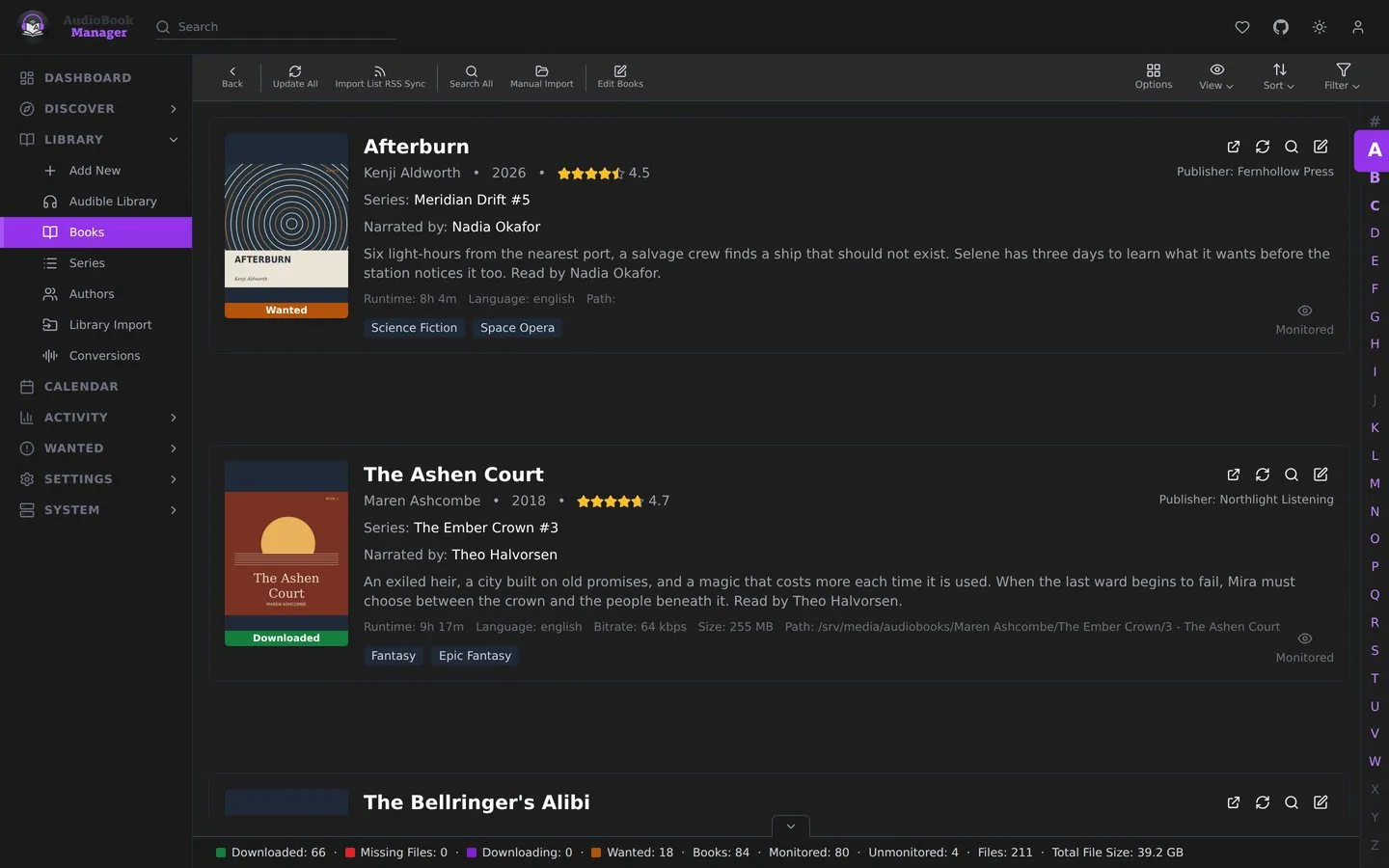
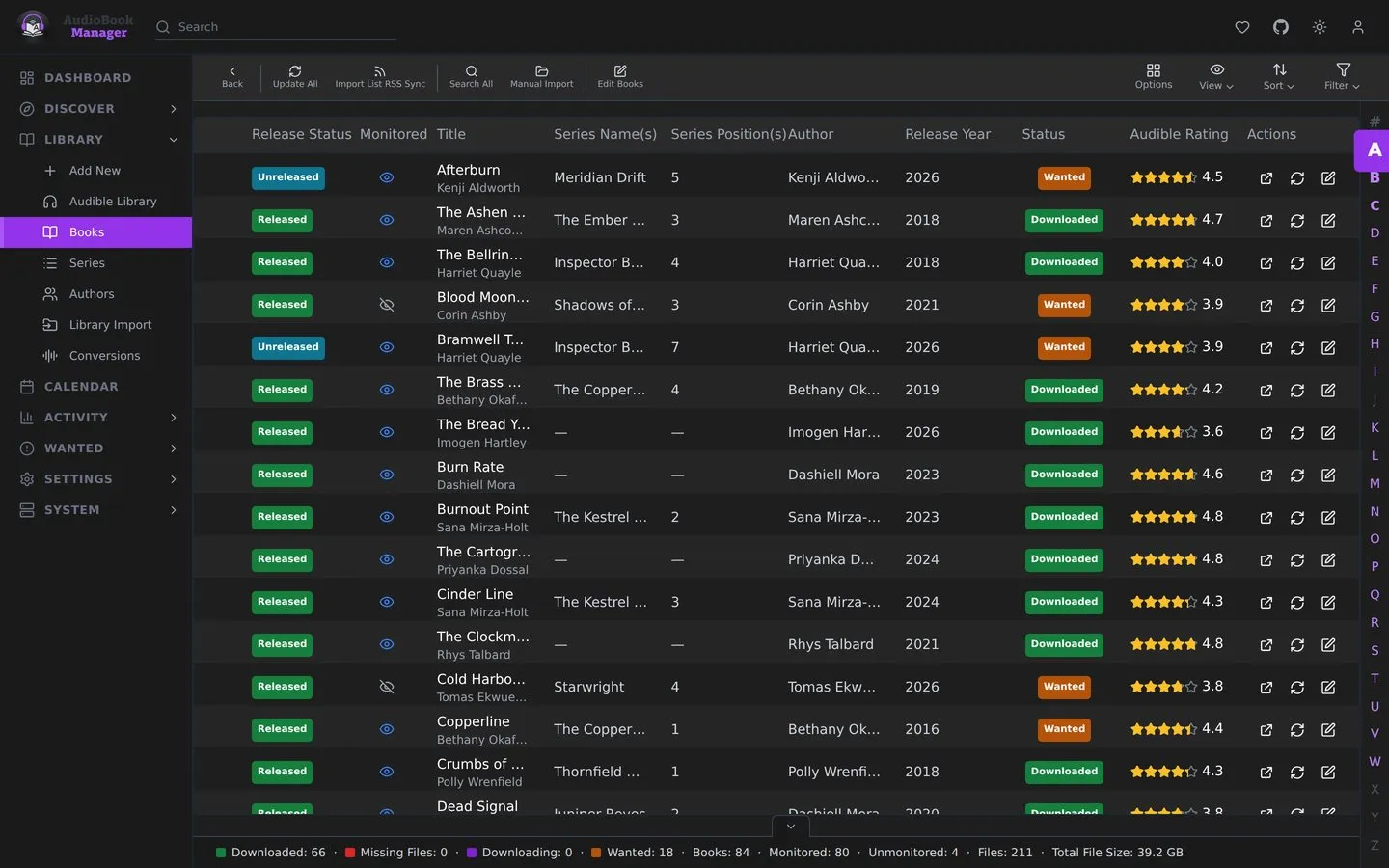
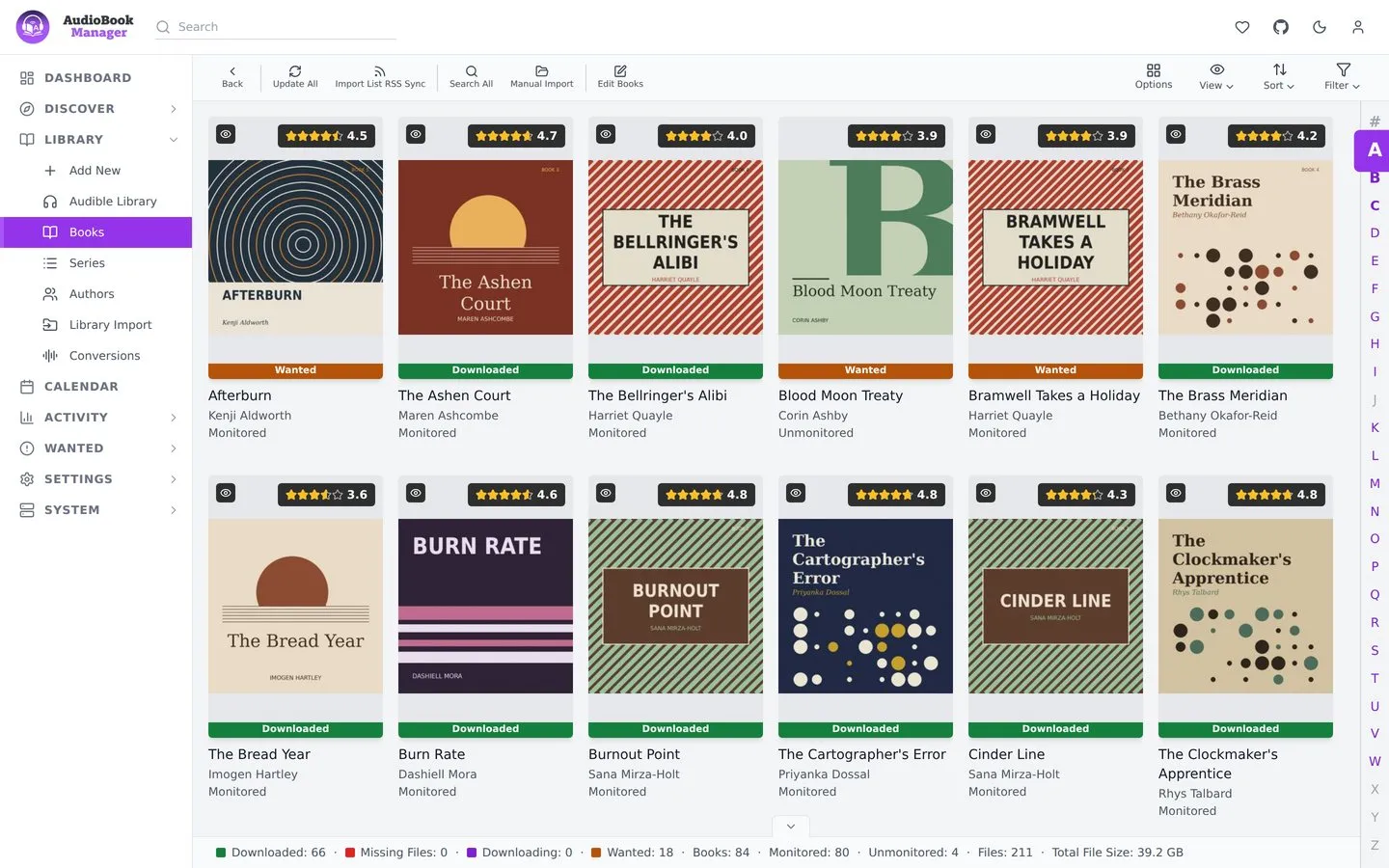
Every book, at a glance.
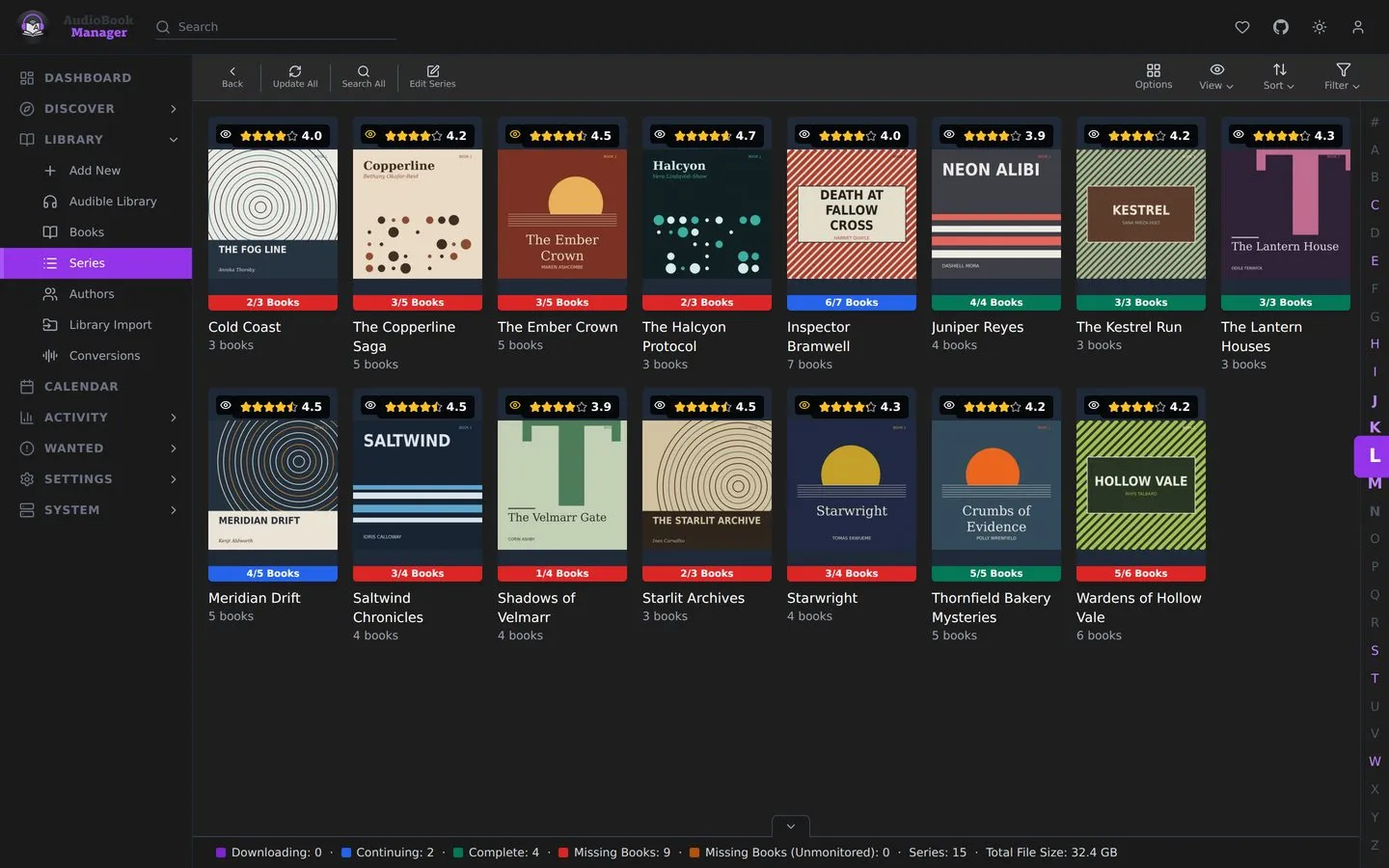
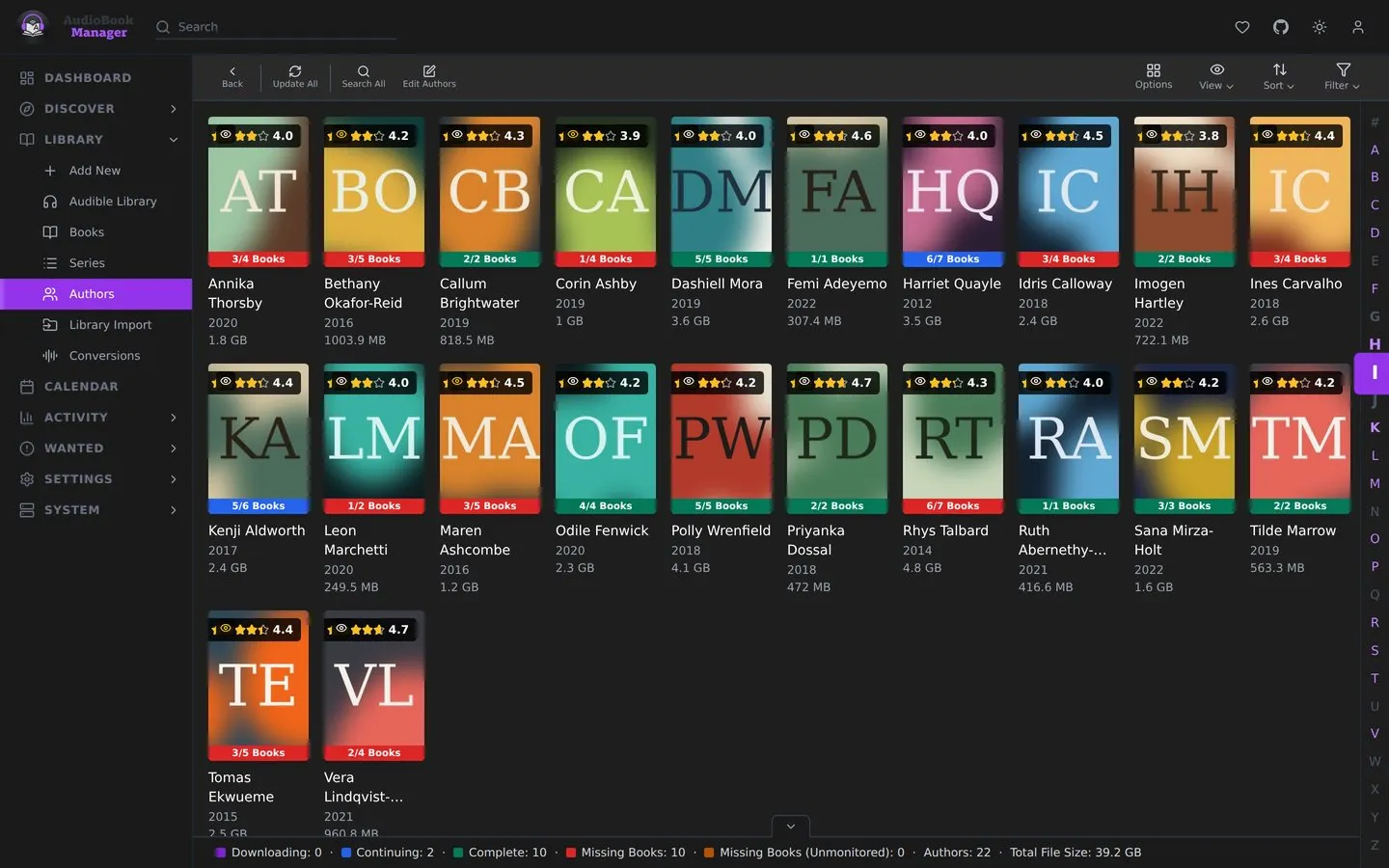
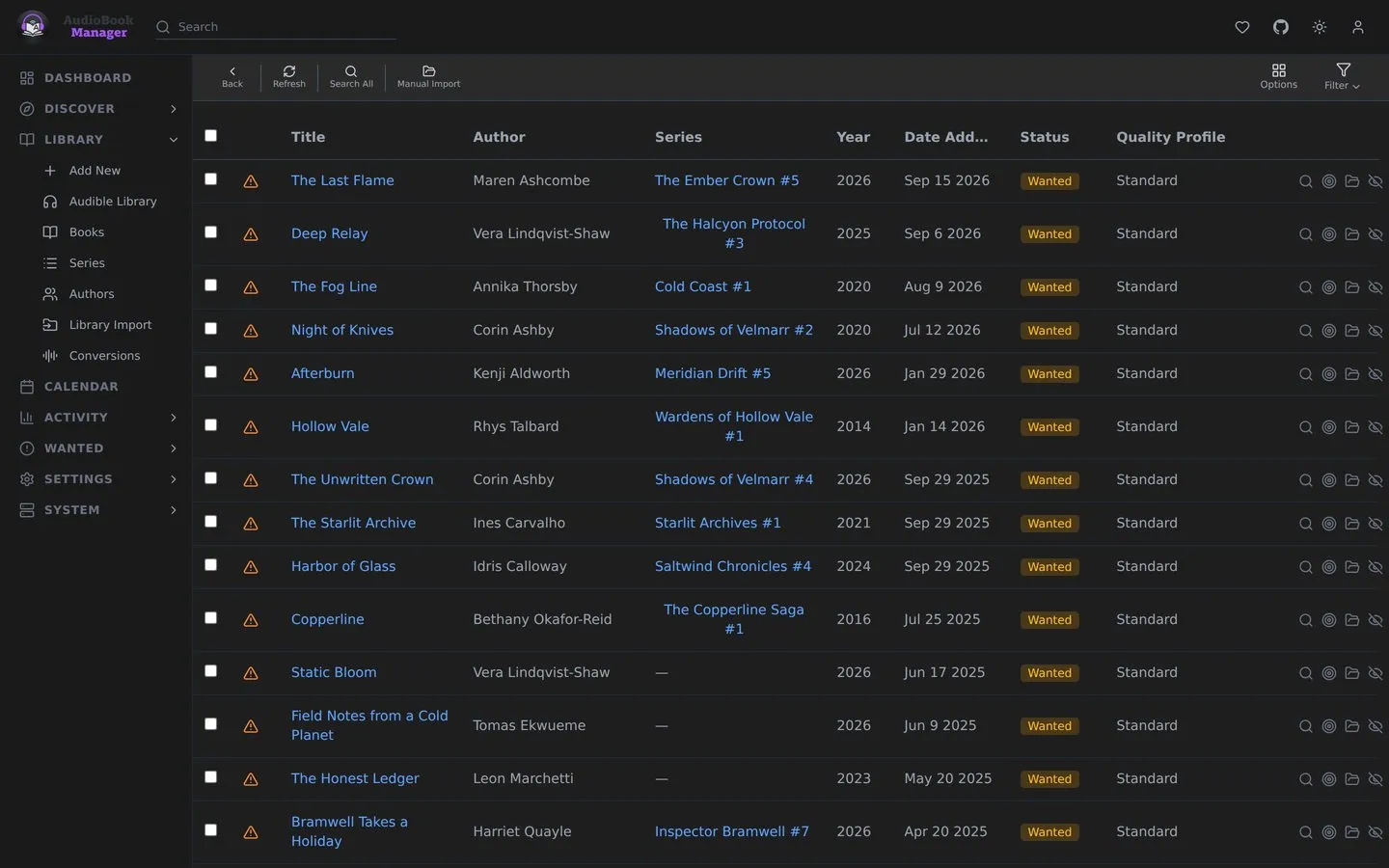
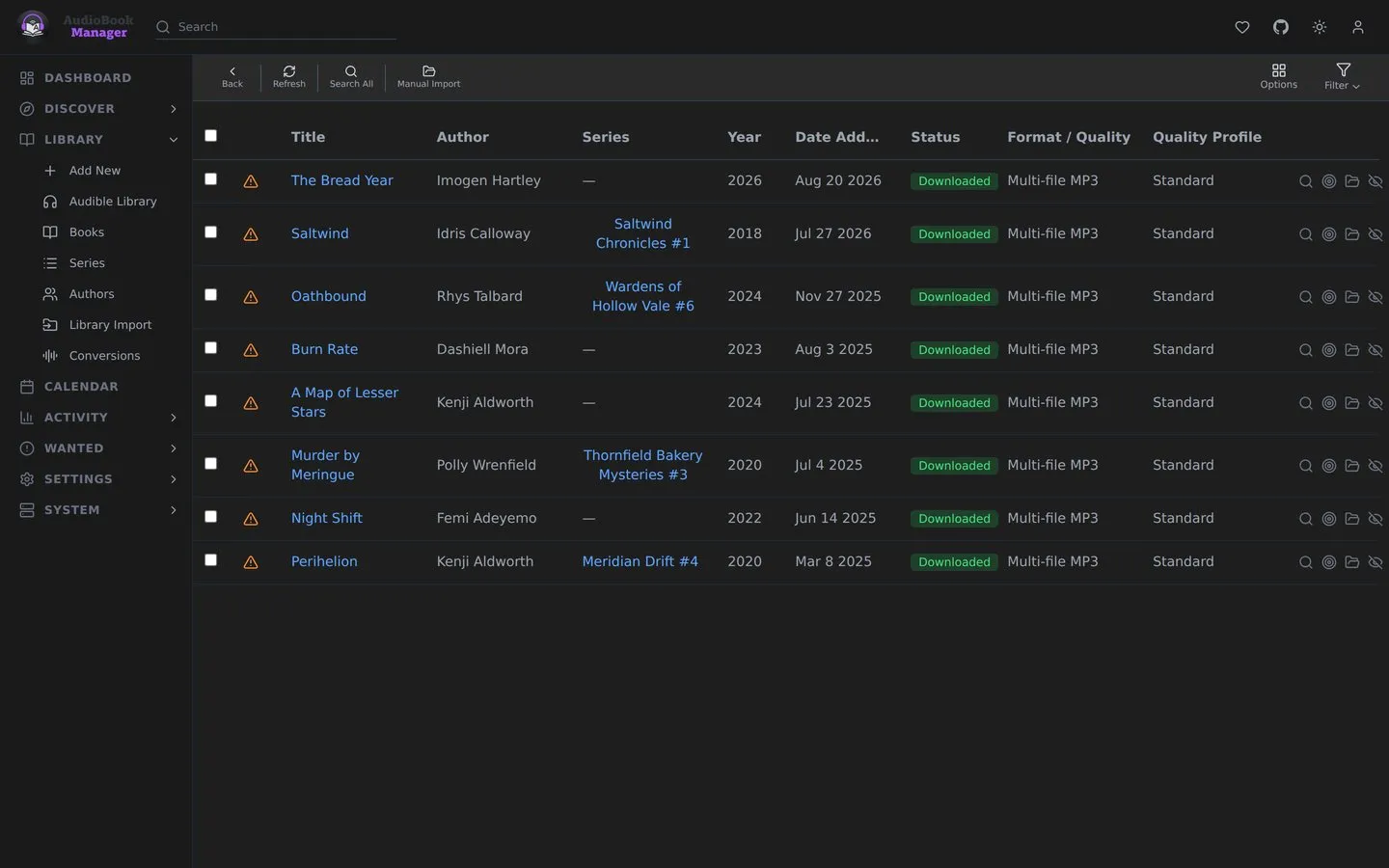
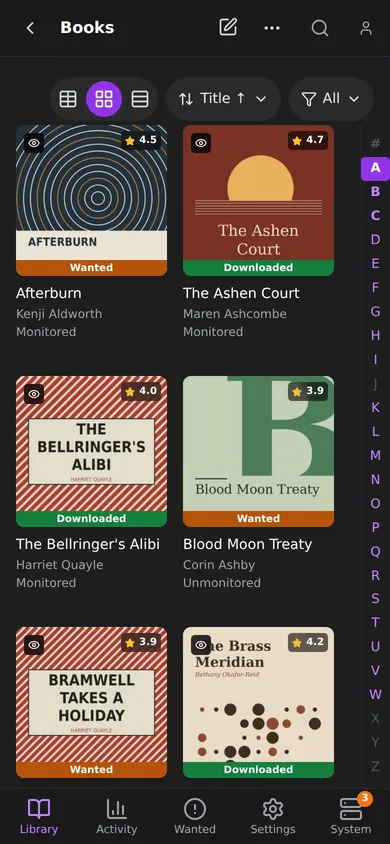
Covers, status and series in one grid. Green is on disk. Amber means ABM is still hunting.
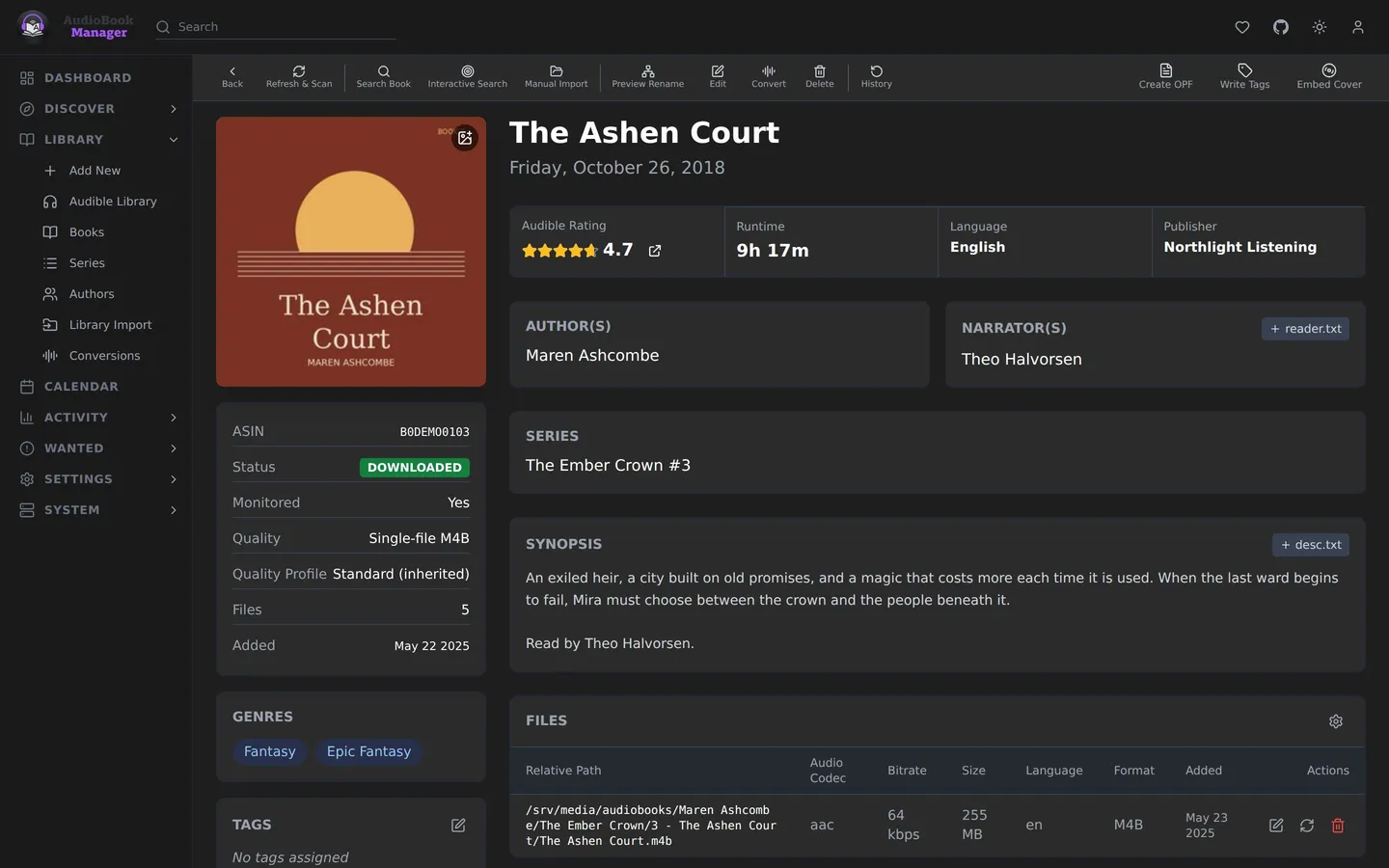
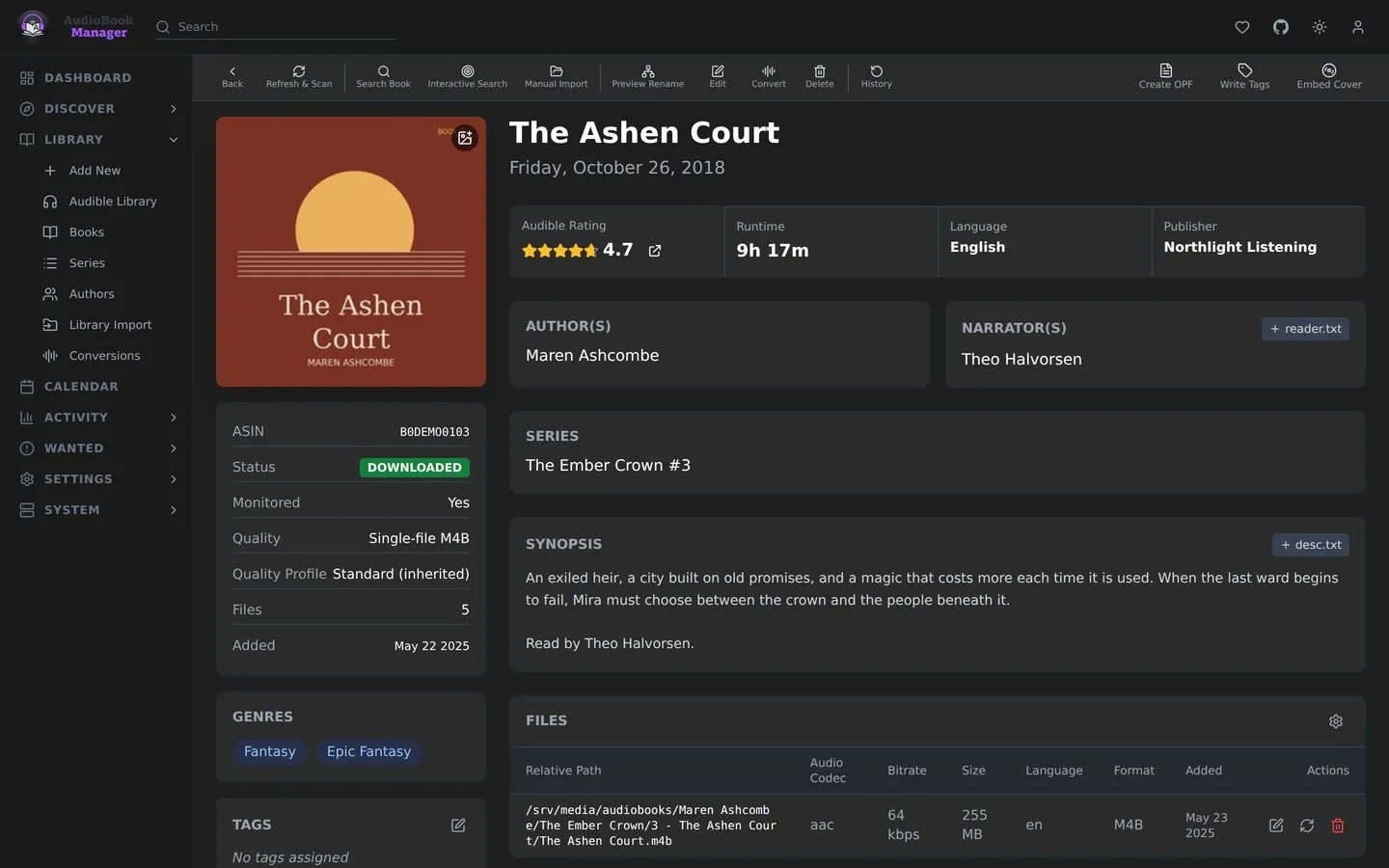
The details are right.
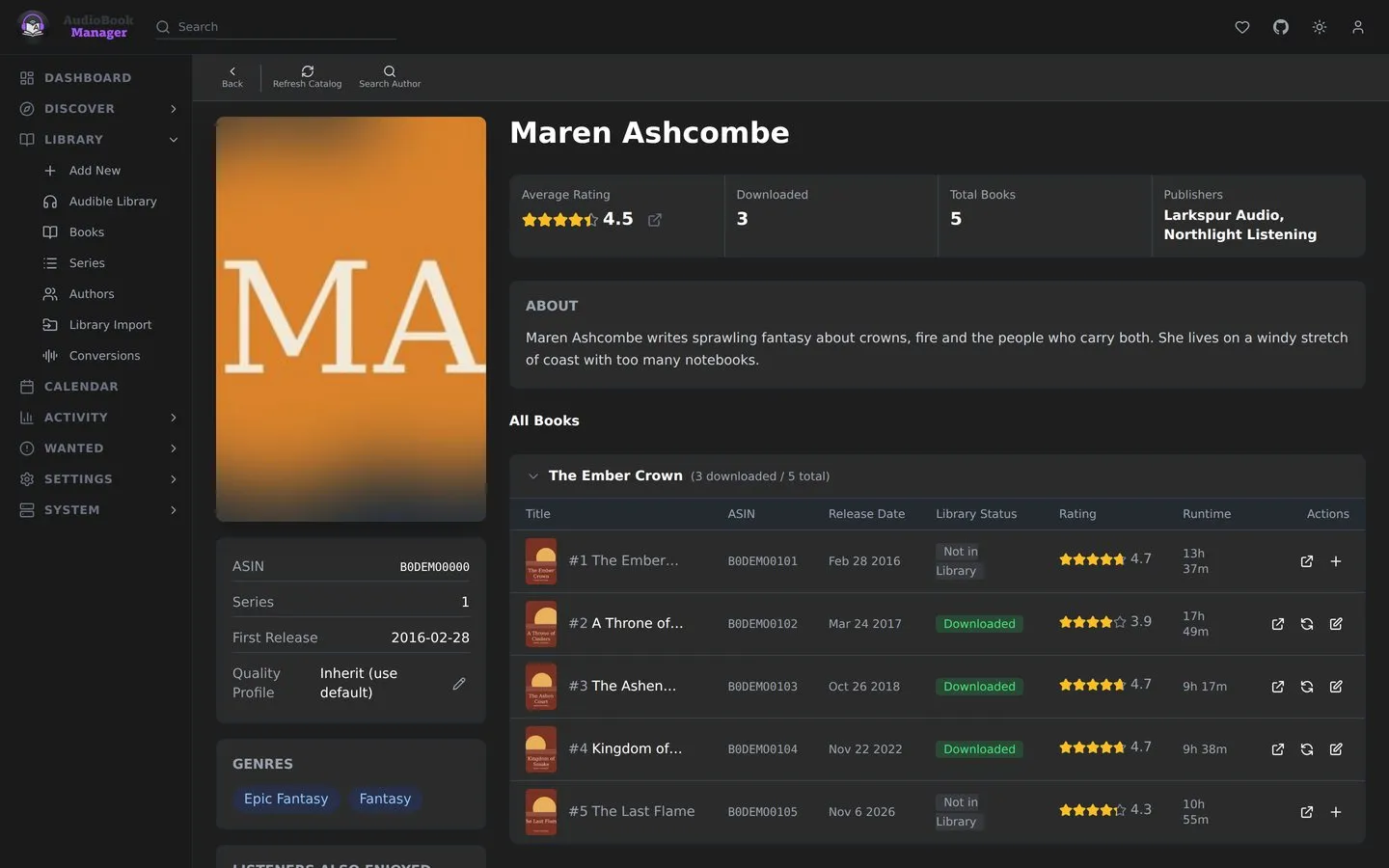
Author, narrator, series, runtime, publisher and every file, with its quality and where it sits.
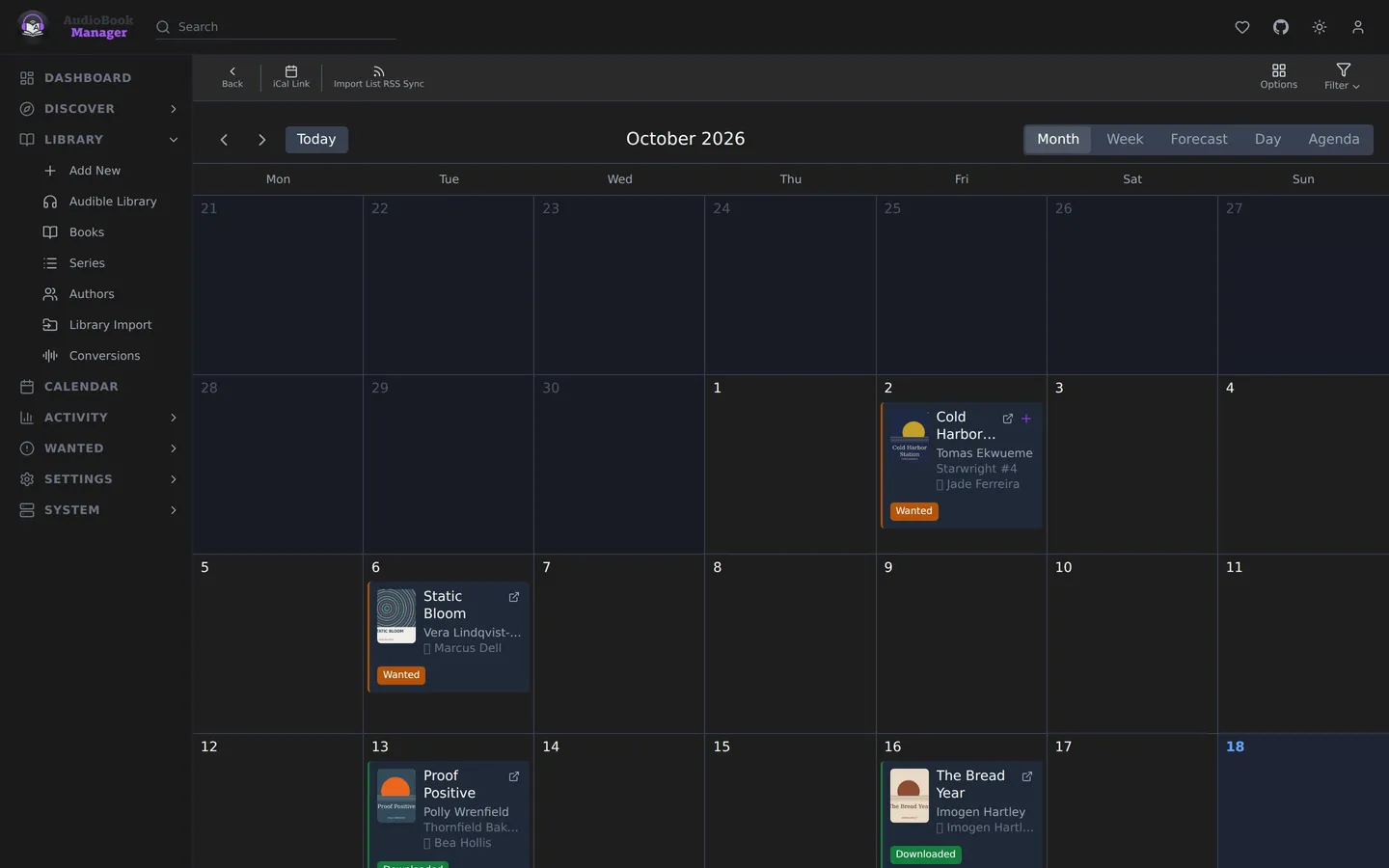
Know what's coming.
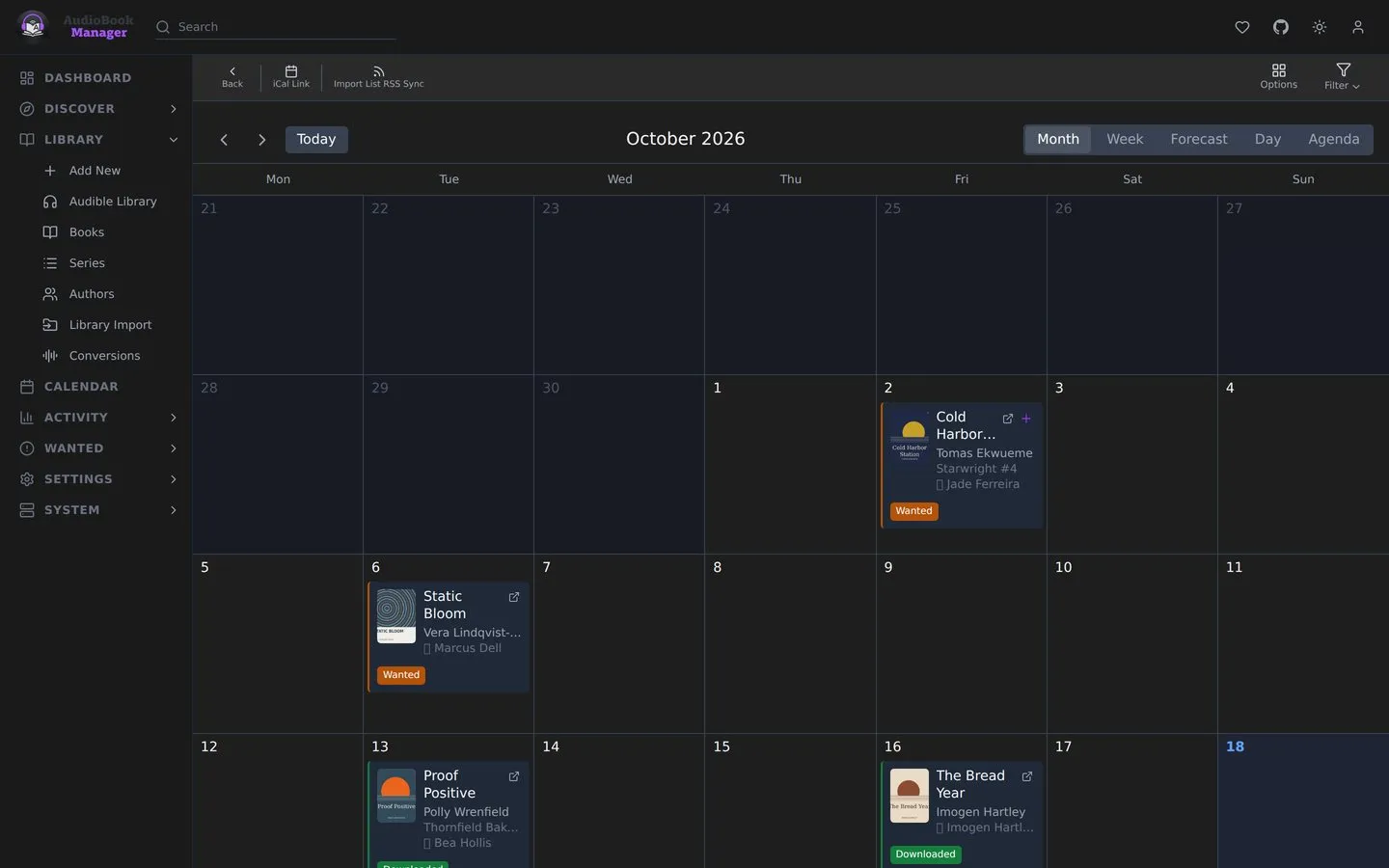
Release dates for the books you monitor, laid out on a calendar.
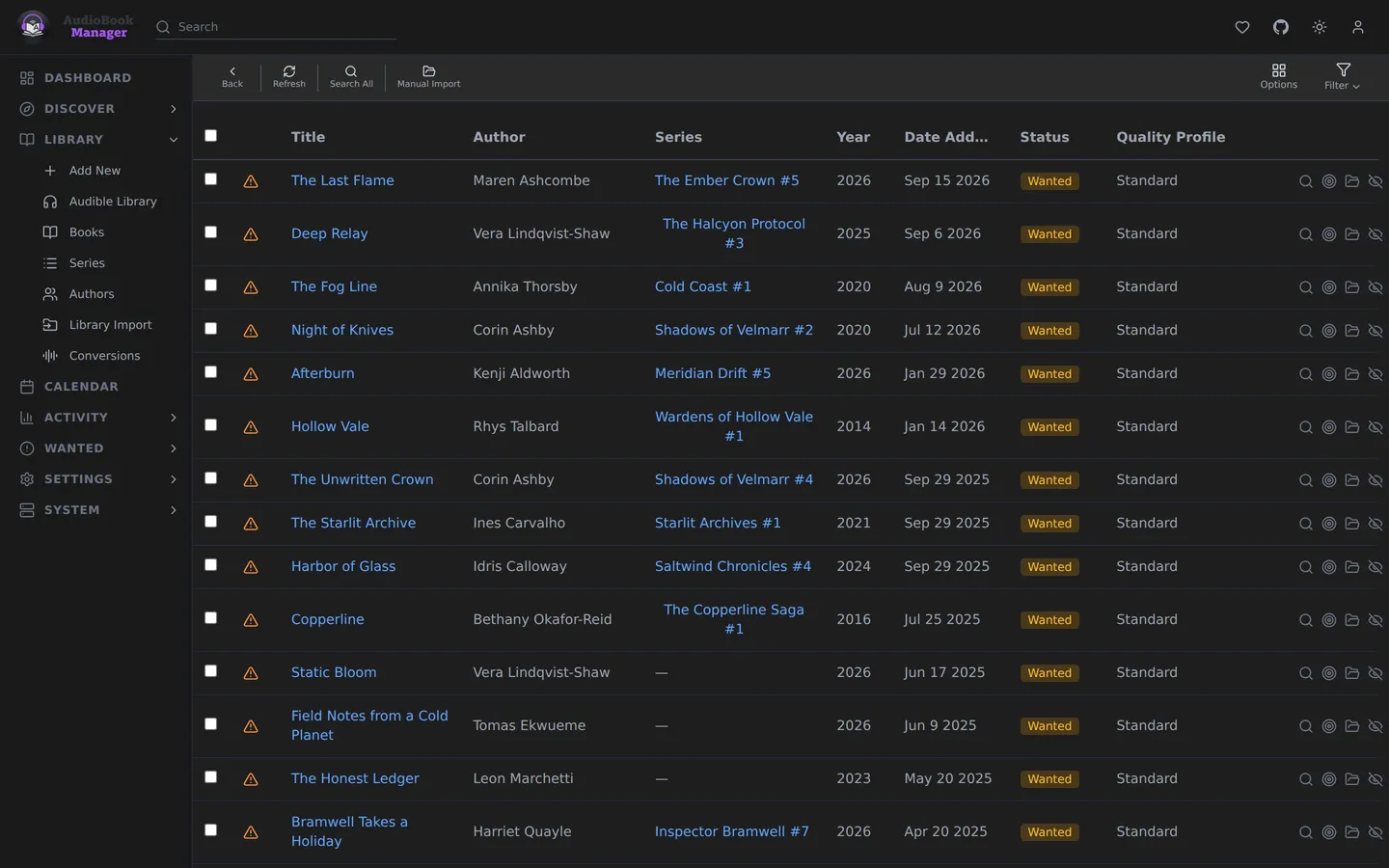
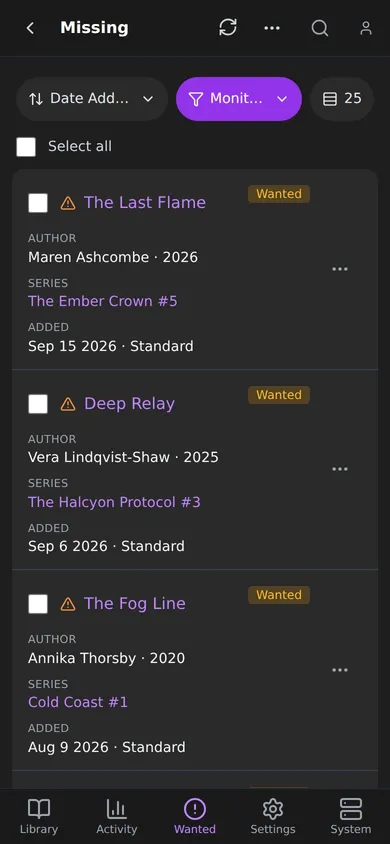
A list of what's missing.
Missing books and books below your quality cutoff, one click away from a search.
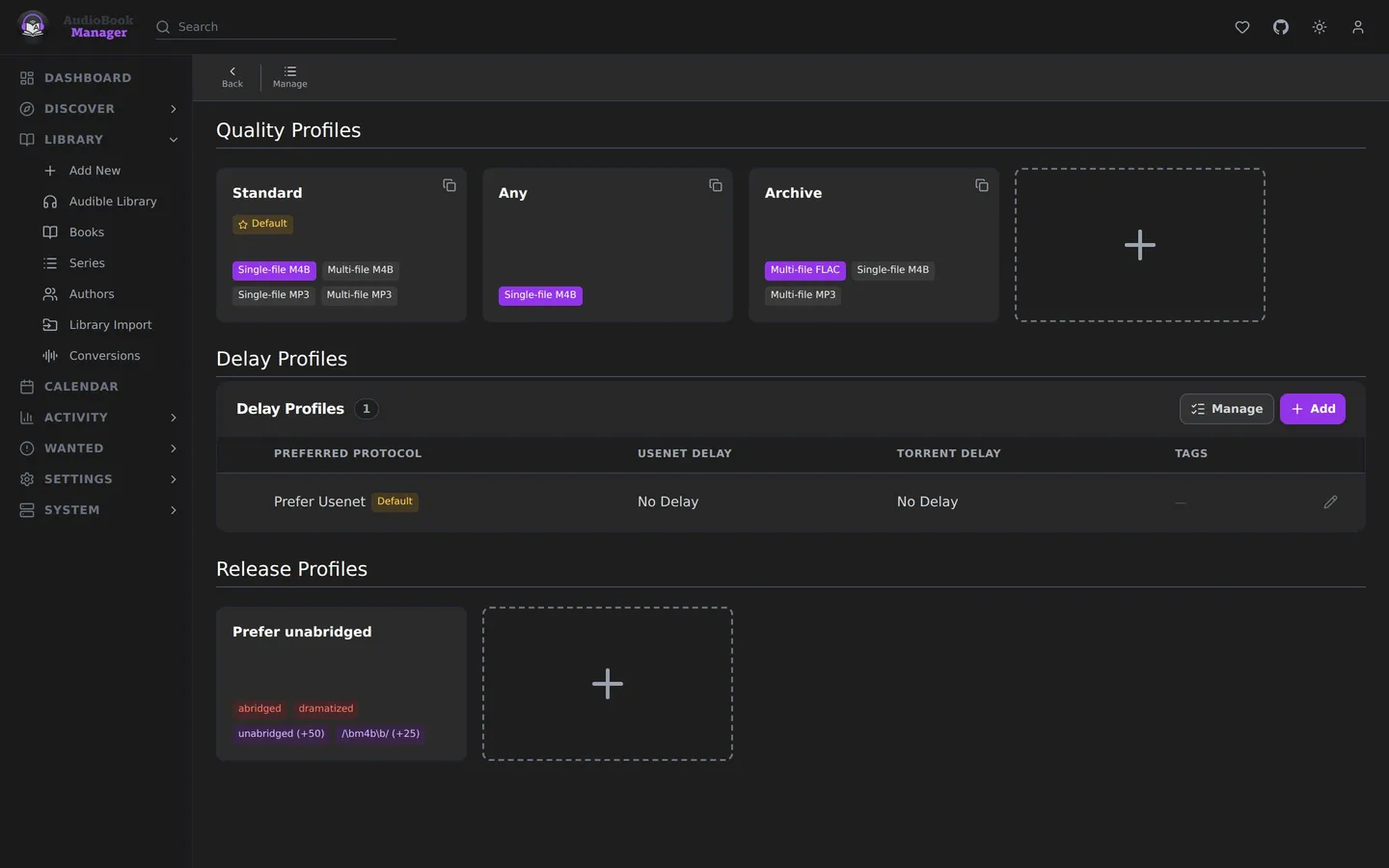
You decide what better means.
Single-file M4B over a folder of MP3s? Say so once in a quality profile and ABM holds out for it.
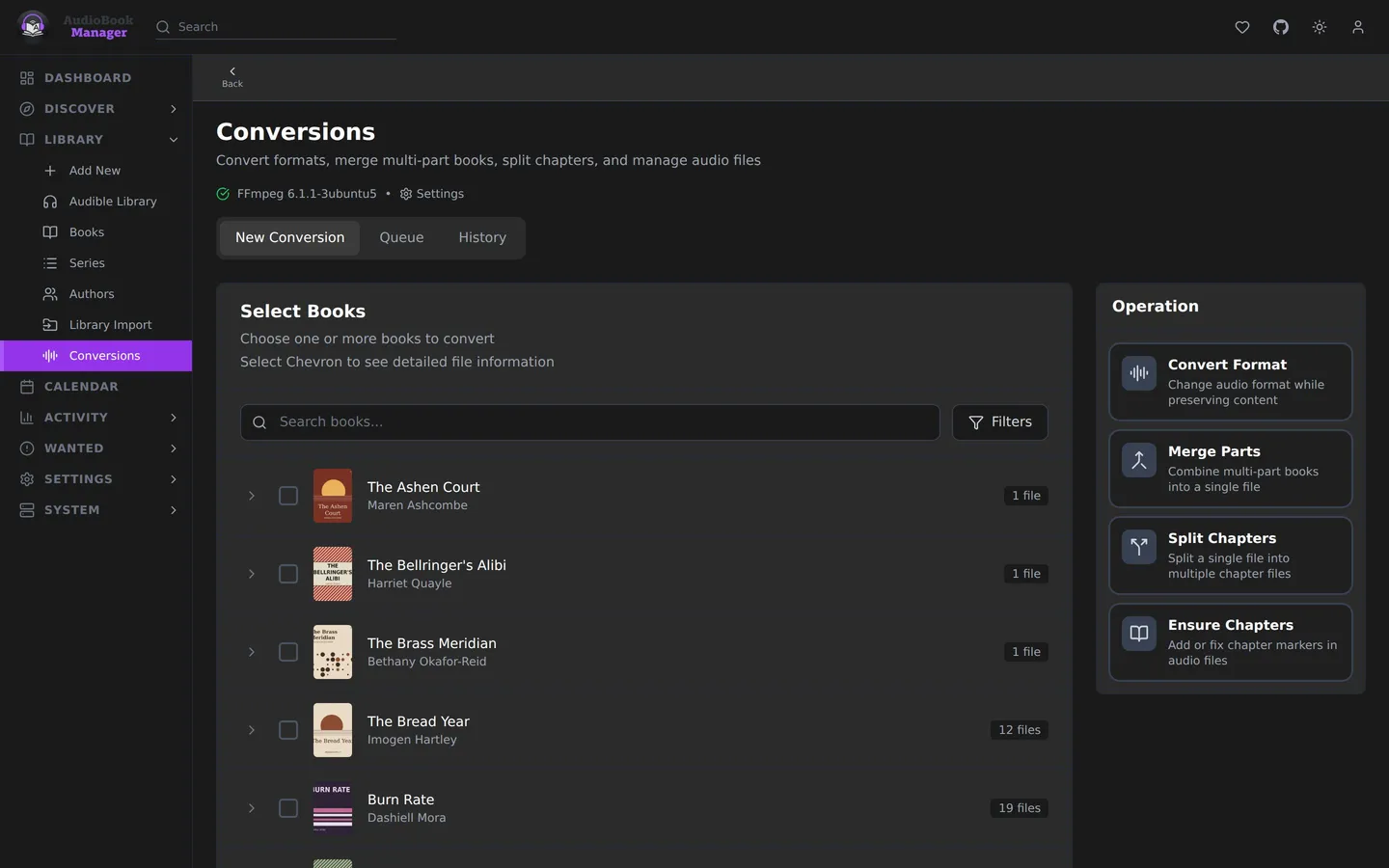
Fix the format too.
Merge parts, split or add chapters, or turn MP3s into one M4B. ABM learns how fast your machine is and estimates how long a job will take.
Bring your Audible library.
If you buy on Audible, ABM connects to your account and treats the books you own as part of your library. It only ever downloads books your own account owns.
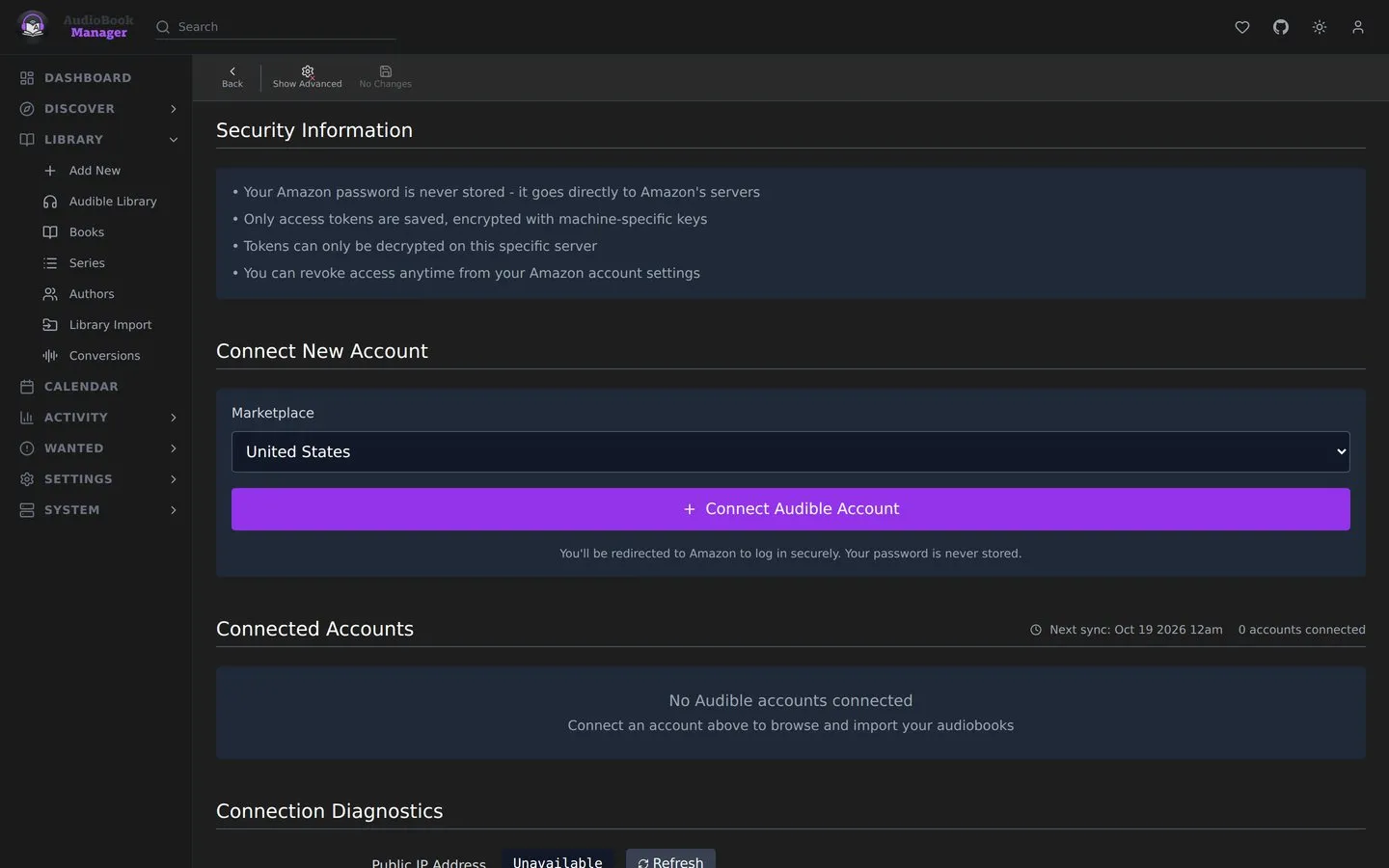
- 01
Connect your account
Pick your marketplace and log in on Amazon's own page. ABM never sees your password. It keeps only the tokens Audible hands back, encrypted with your install's secret key. More than one account works too.
- 02
Sync your library
On a schedule or whenever you hit sync, ABM pulls in everything you own and lists it on its own Audible Library page, marked with what's already on your shelf.
- 03
Add and download
From there, add books to your library, download them, or both, one at a time or in bulk.
- 04
Mirror the whole thing
Turn mirroring on and every book you buy gets added and downloaded after each sync, a batch at a time. Plus Catalog titles and rentals are left out, and a book that leaves your Audible account stays in ABM.
- 05
Untouched M4B
Downloads are decrypted to M4B without re-encoding, so you get Audible's audio exactly as it was, with chapters and the cover built in.
- 06
Pick the quality
Choose High or Normal for your downloads.
- 07
Audible in Discover
Audible's best-seller lists show up in Discover, and every book links back to its Audible page.
Built for the shelf, not bolted on.
Audiobooks first.
Narrators, series positions, multi-file releases, chapters and M4B are the whole point here, not an afterthought.
You already know your way around.
Wanted, Queue, History, Calendar, quality profiles. If you've run Sonarr or Radarr, everything is where you'd look for it.
It tells you the truth.
If a move gets 3 of 5 books across, ABM tells you how many moved and why the rest didn't.
One container. No database server.
Everything lives in one SQLite file under /config. Back that folder up and you have backed up ABM.
This is the real thing.
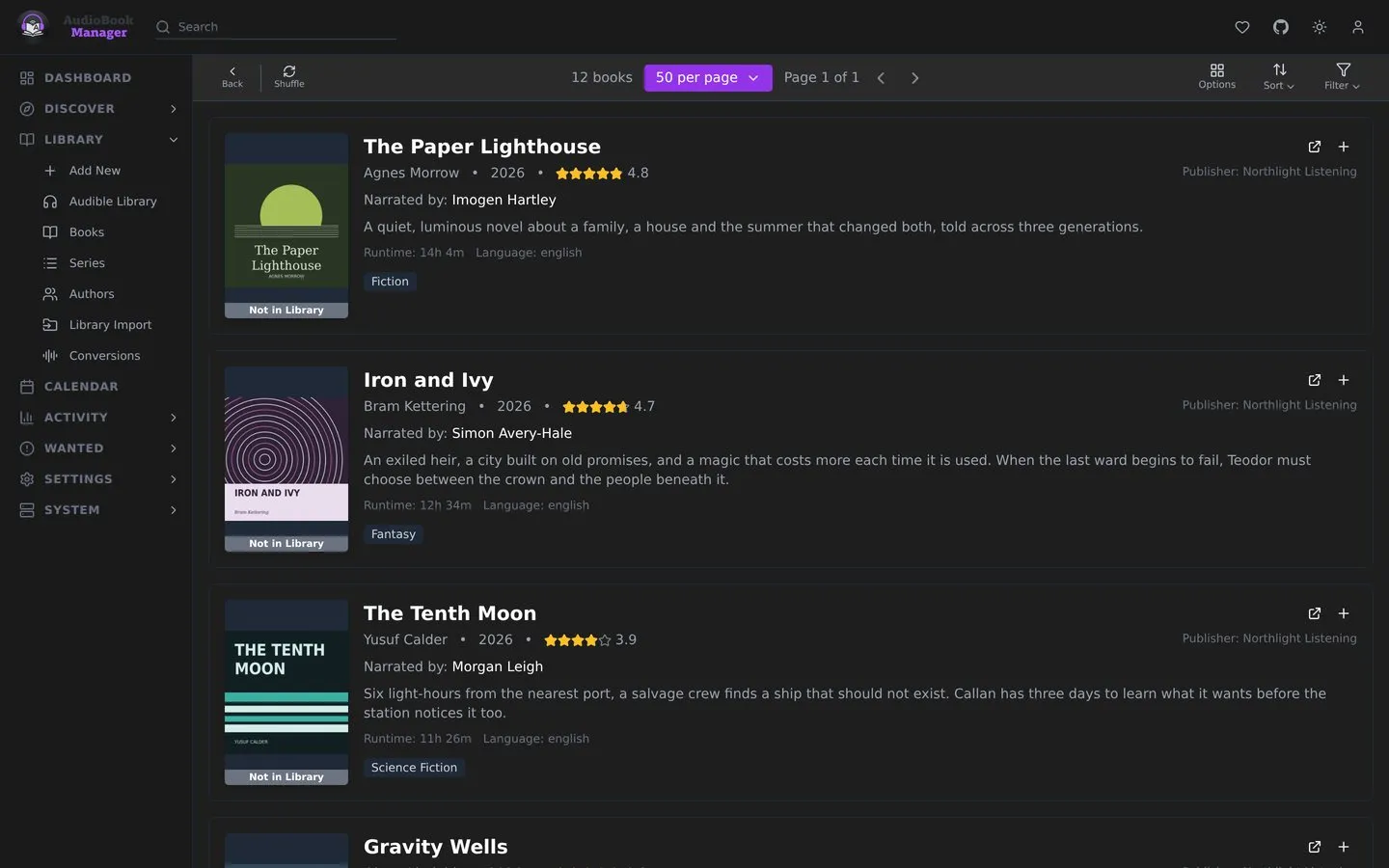
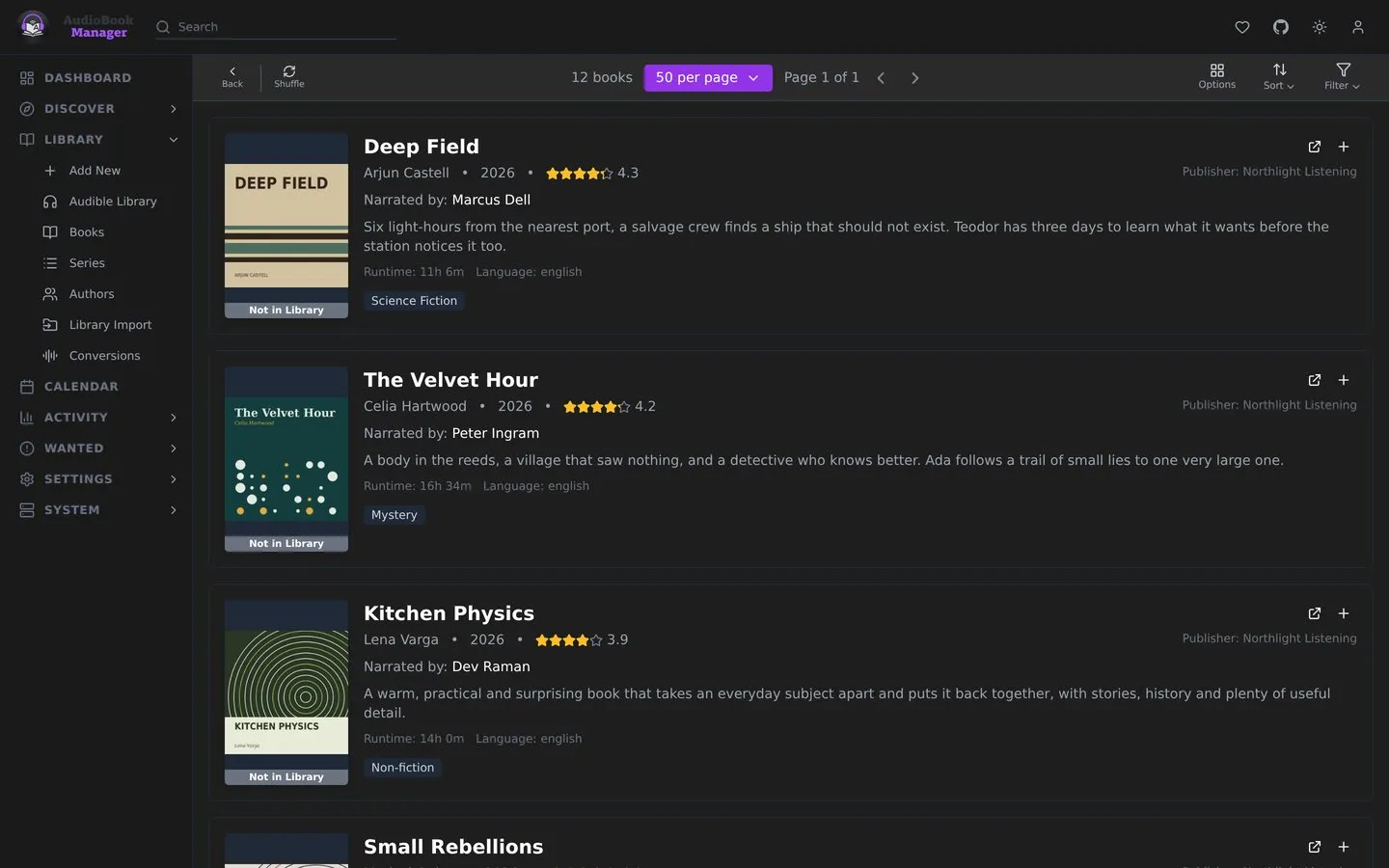
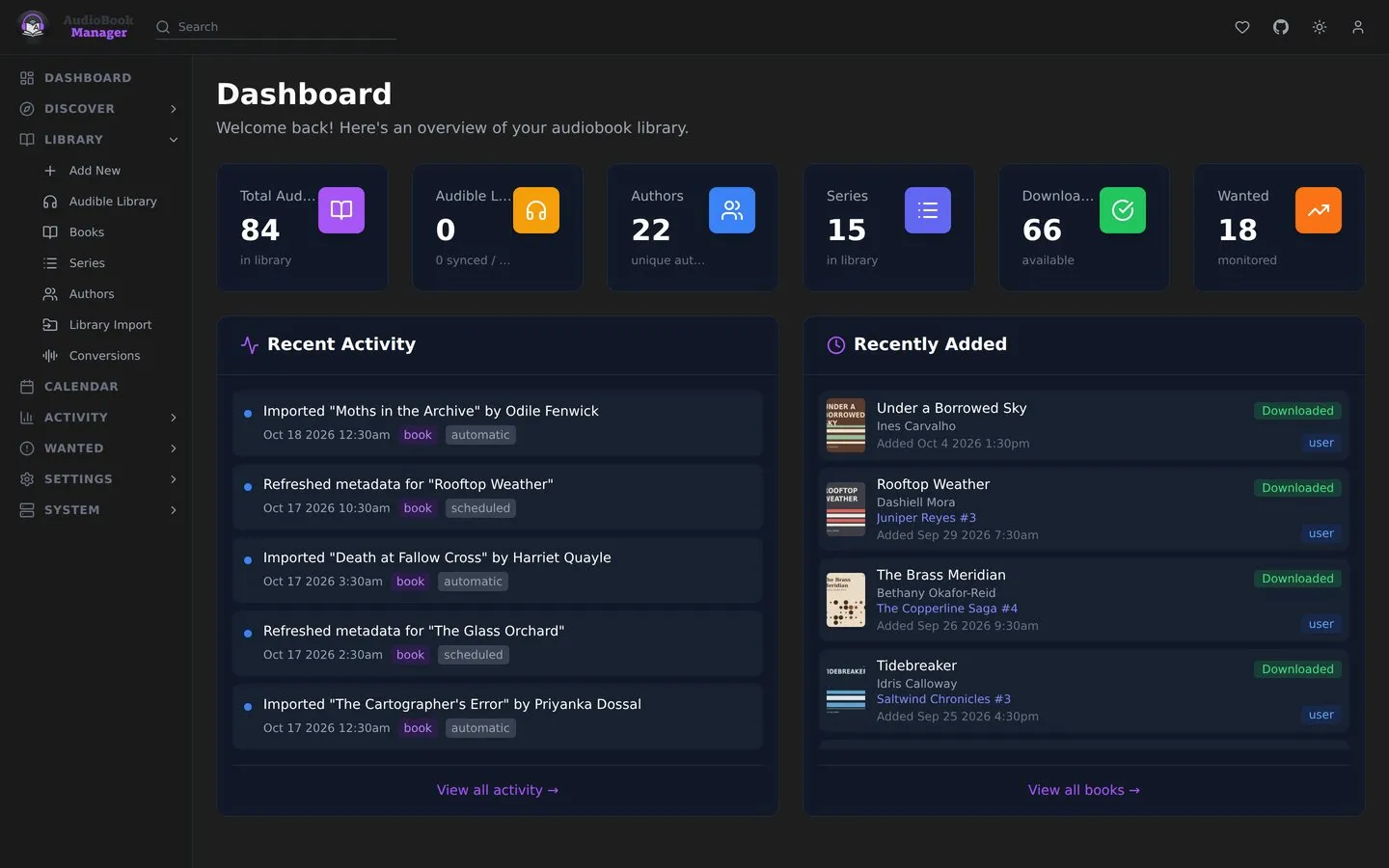
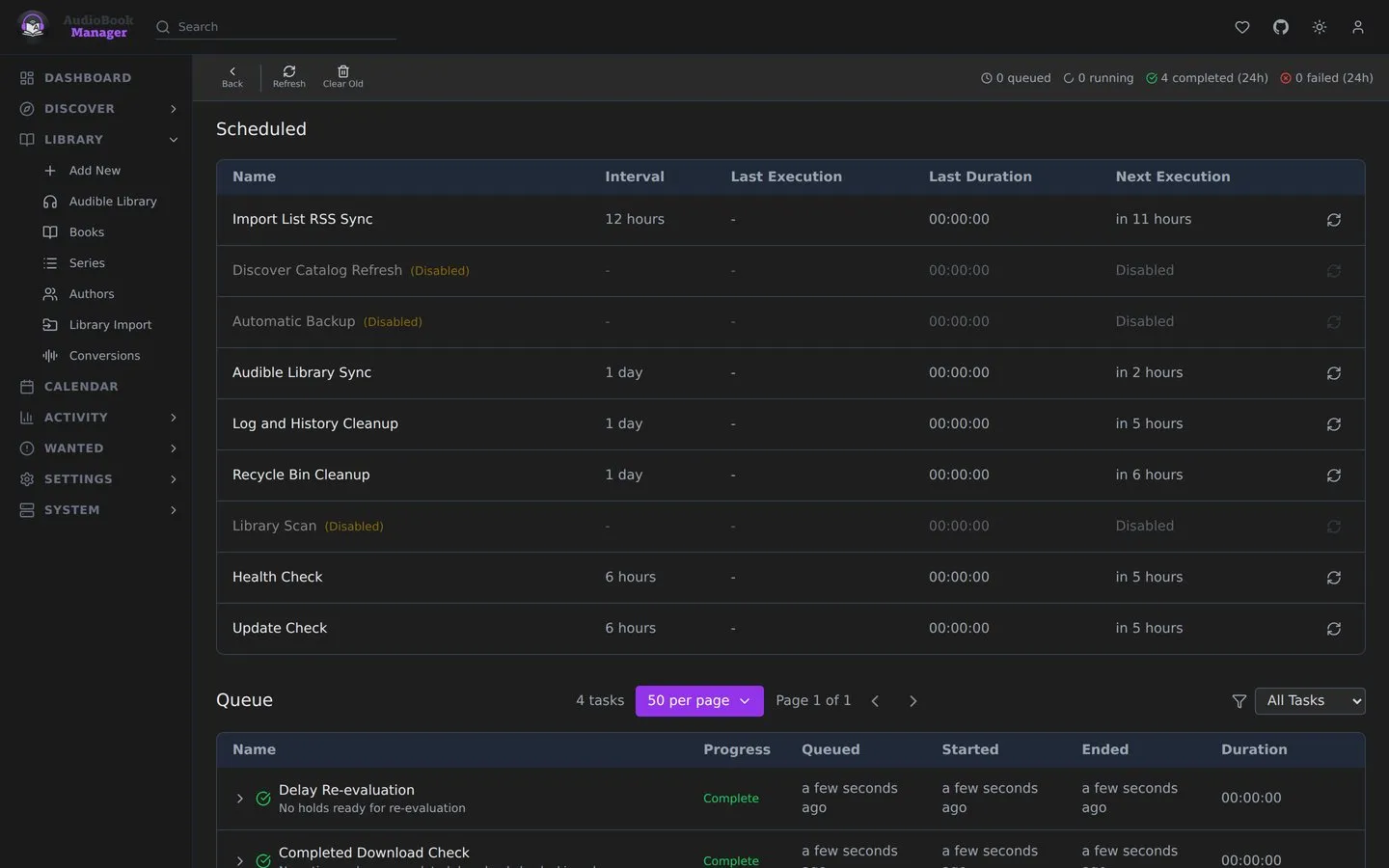
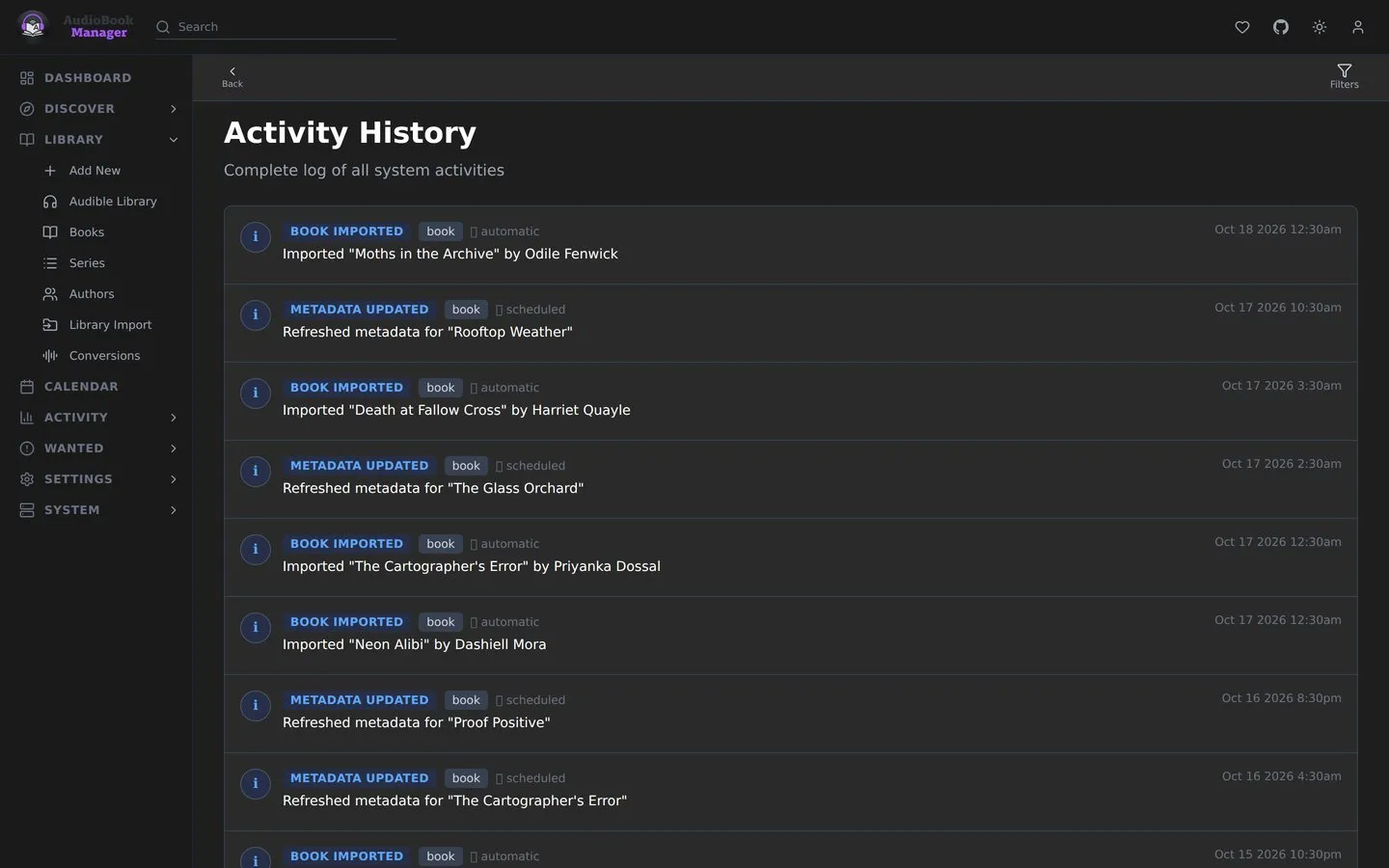
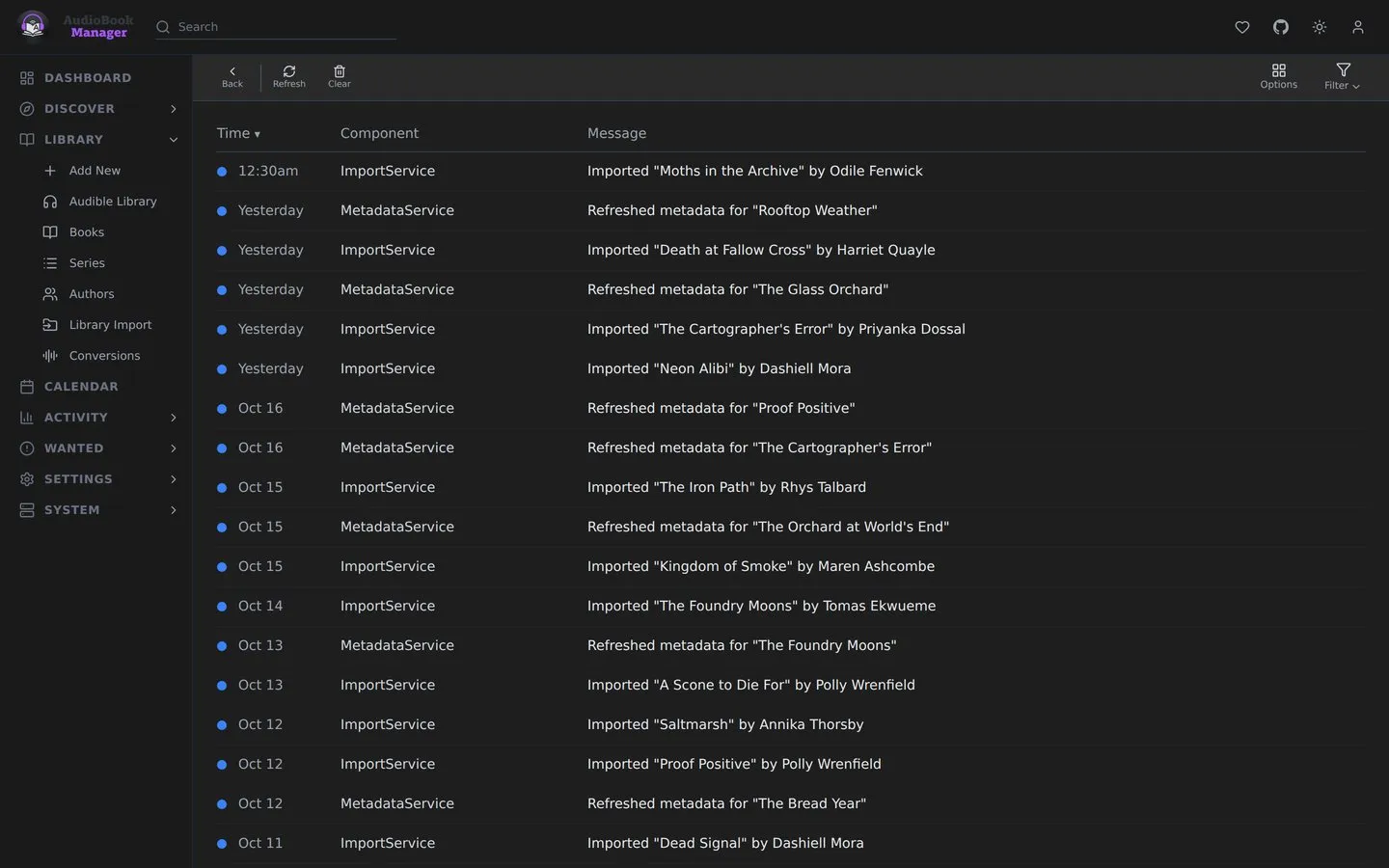
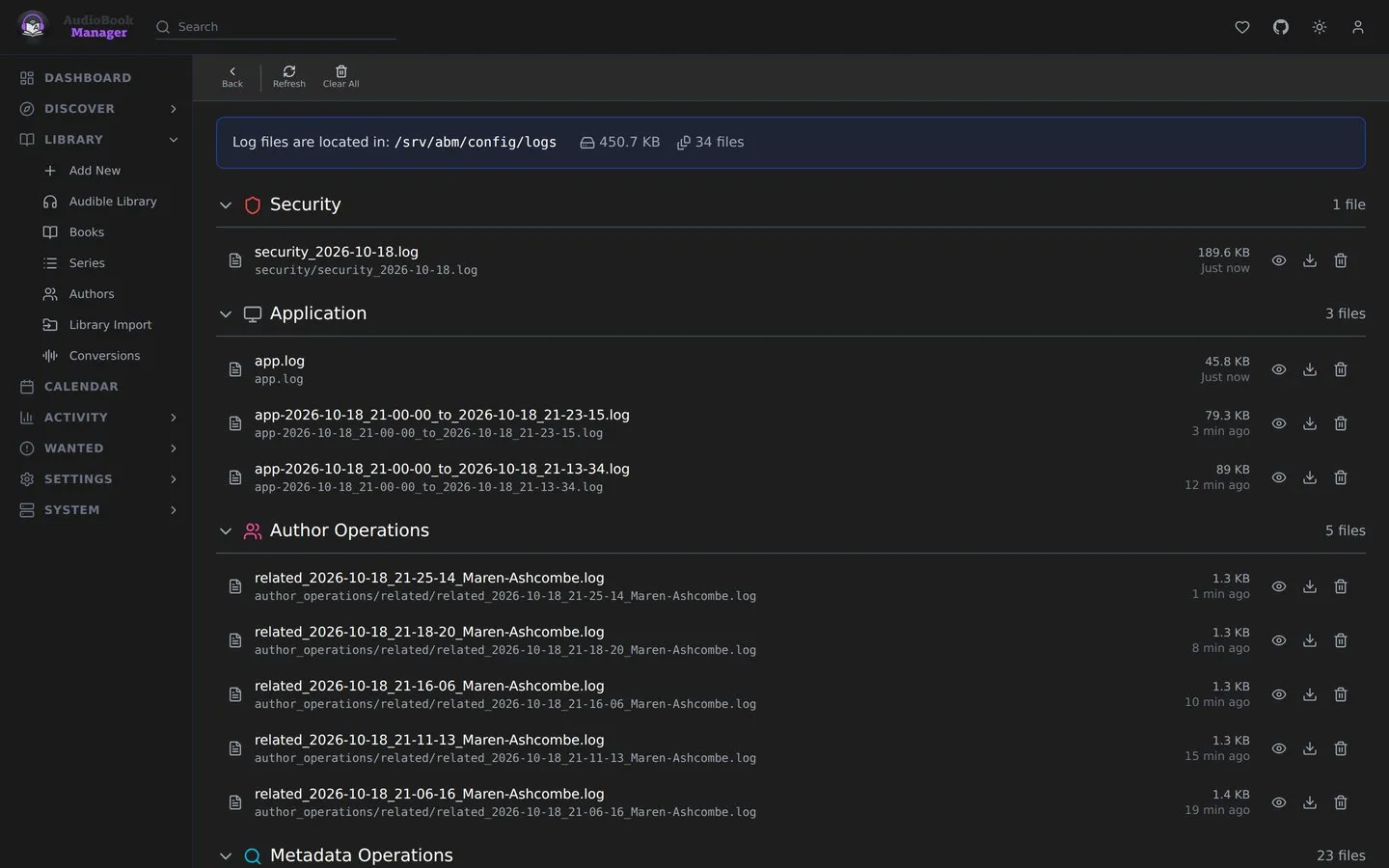
Every screenshot is the actual app, running on an invented demo library. Pick an area, then a view. Click any screenshot to see it full size.
Three ways to look at the same shelf: covers, covers with the synopsis, or a table you can sort by anything. There's a light theme too.
Every book gets its own page: who wrote and narrated it, where it sits in its series, every chapter, and every file on disk with its quality.
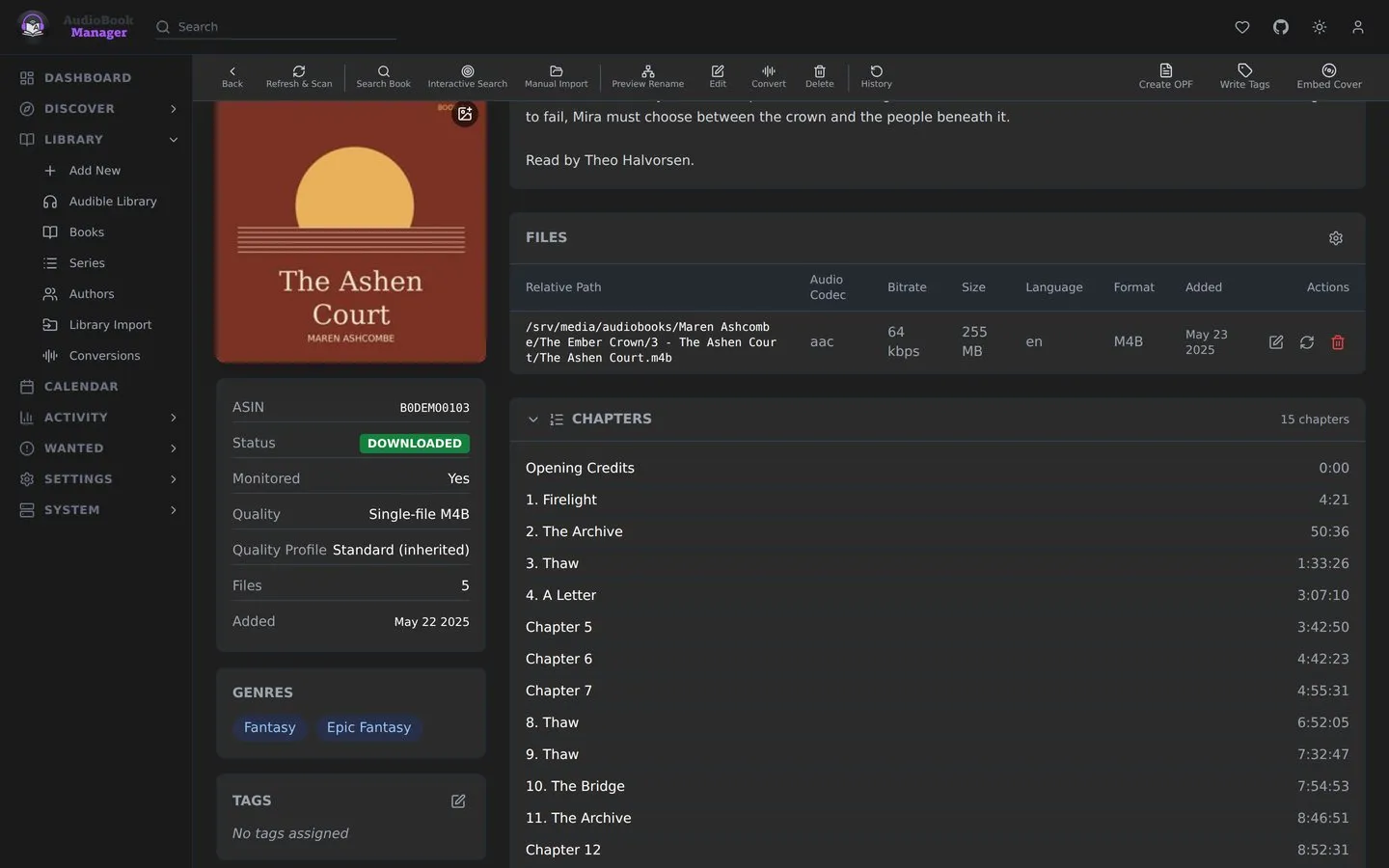
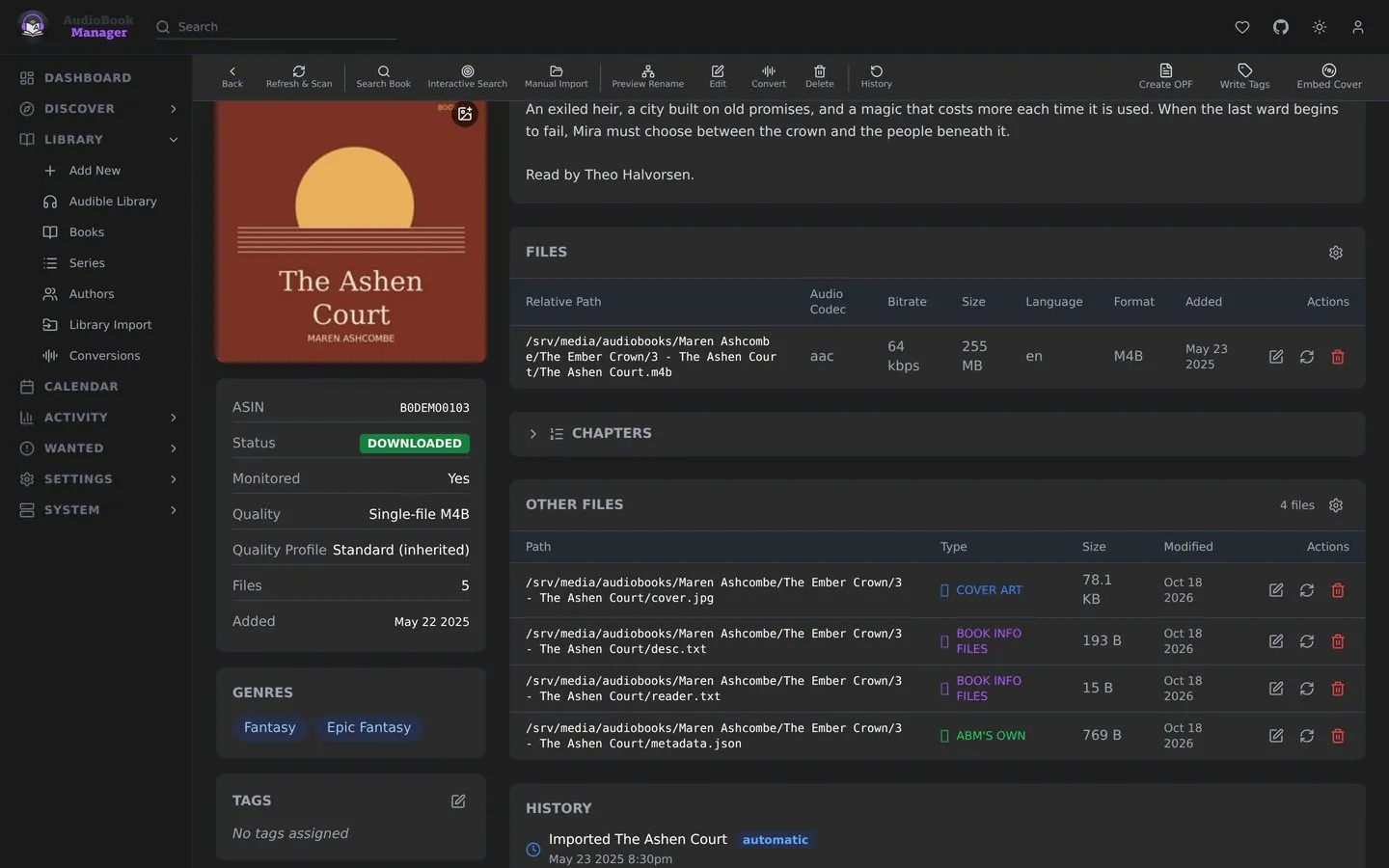
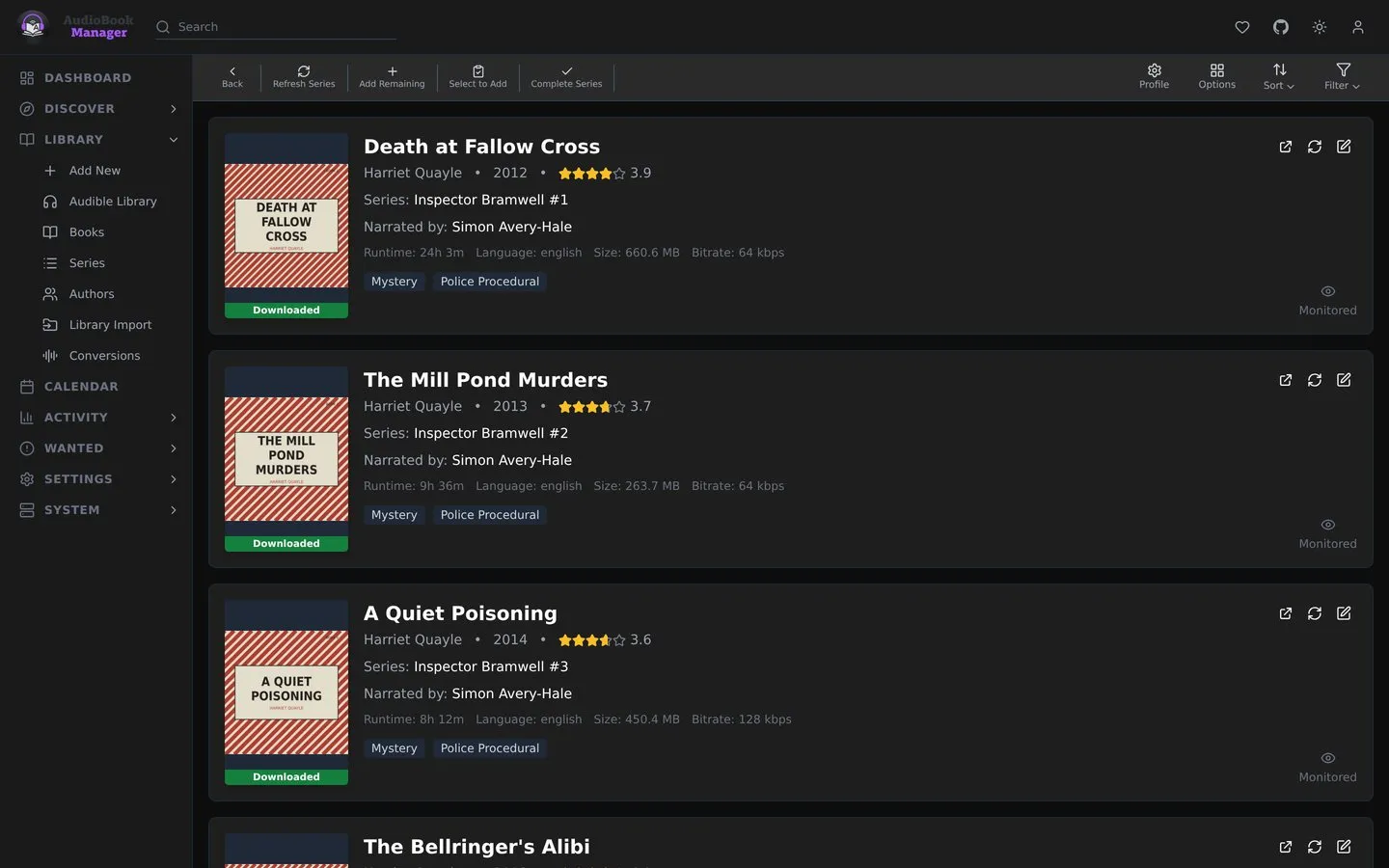
Series and authors have their own pages too, so you can see what you have and what's still missing. Narrators get their own page later.
Discover shows new and upcoming releases. Wanted lists what's missing or still below your quality cutoff, and the calendar shows when the books you monitor come out.
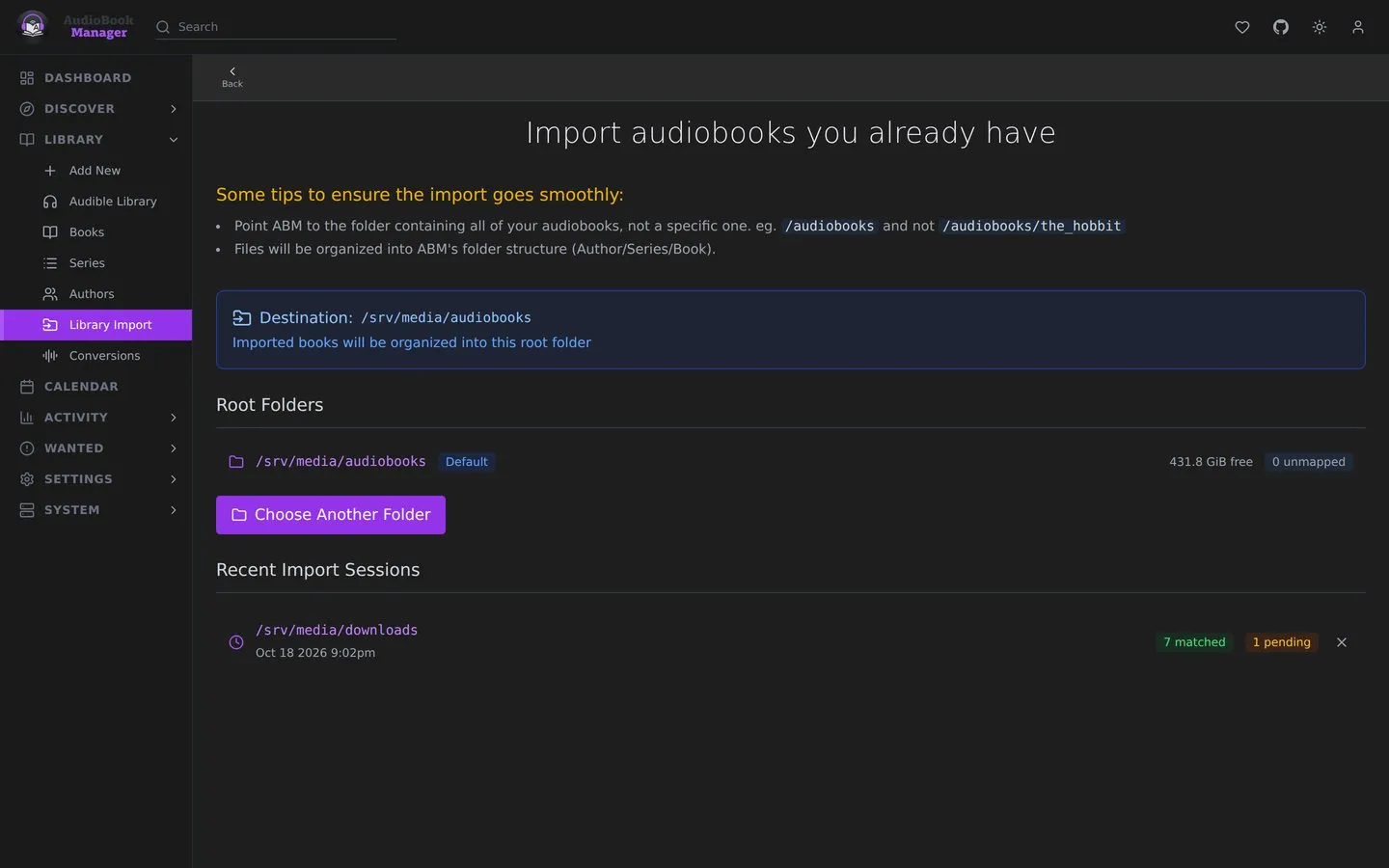
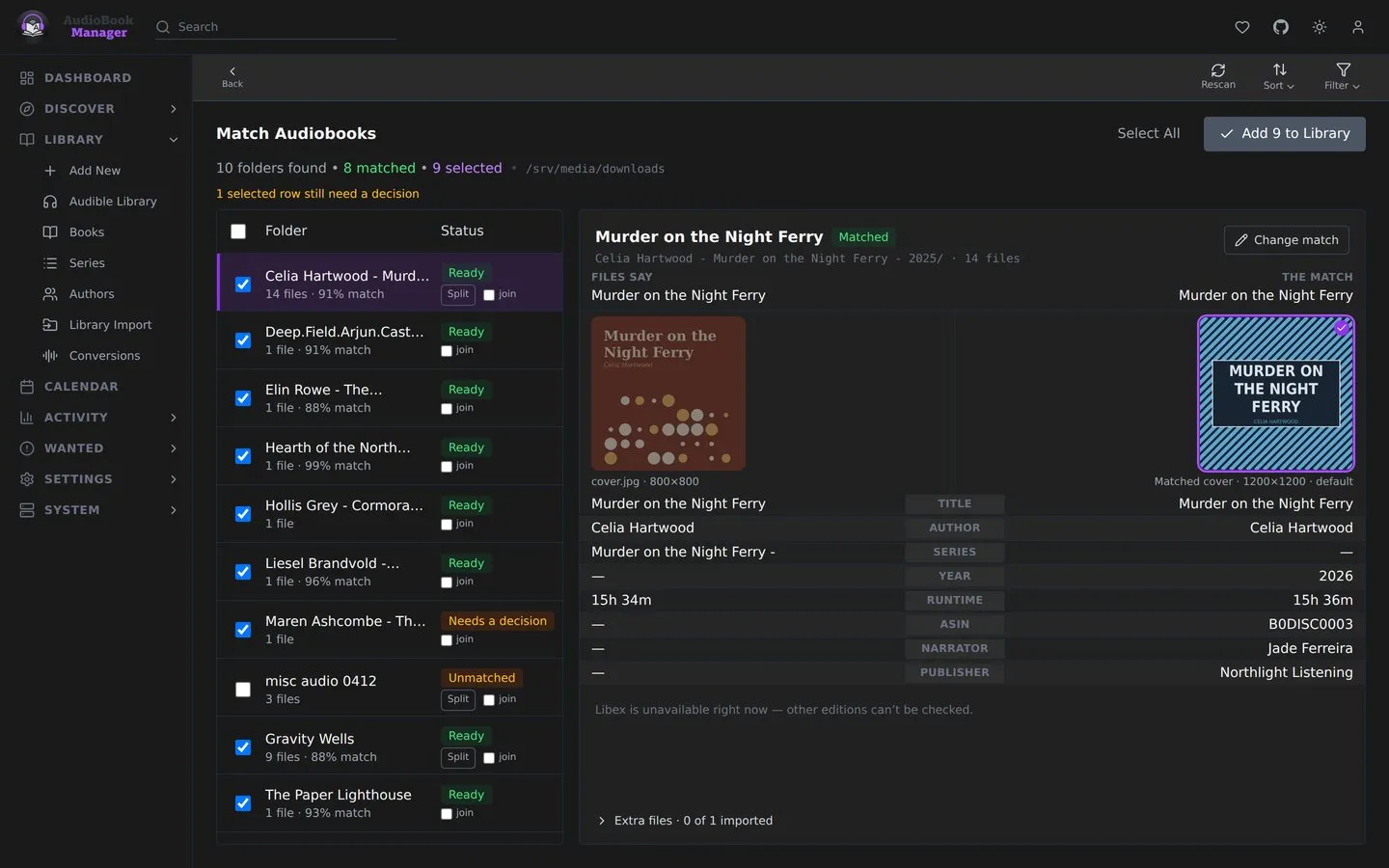
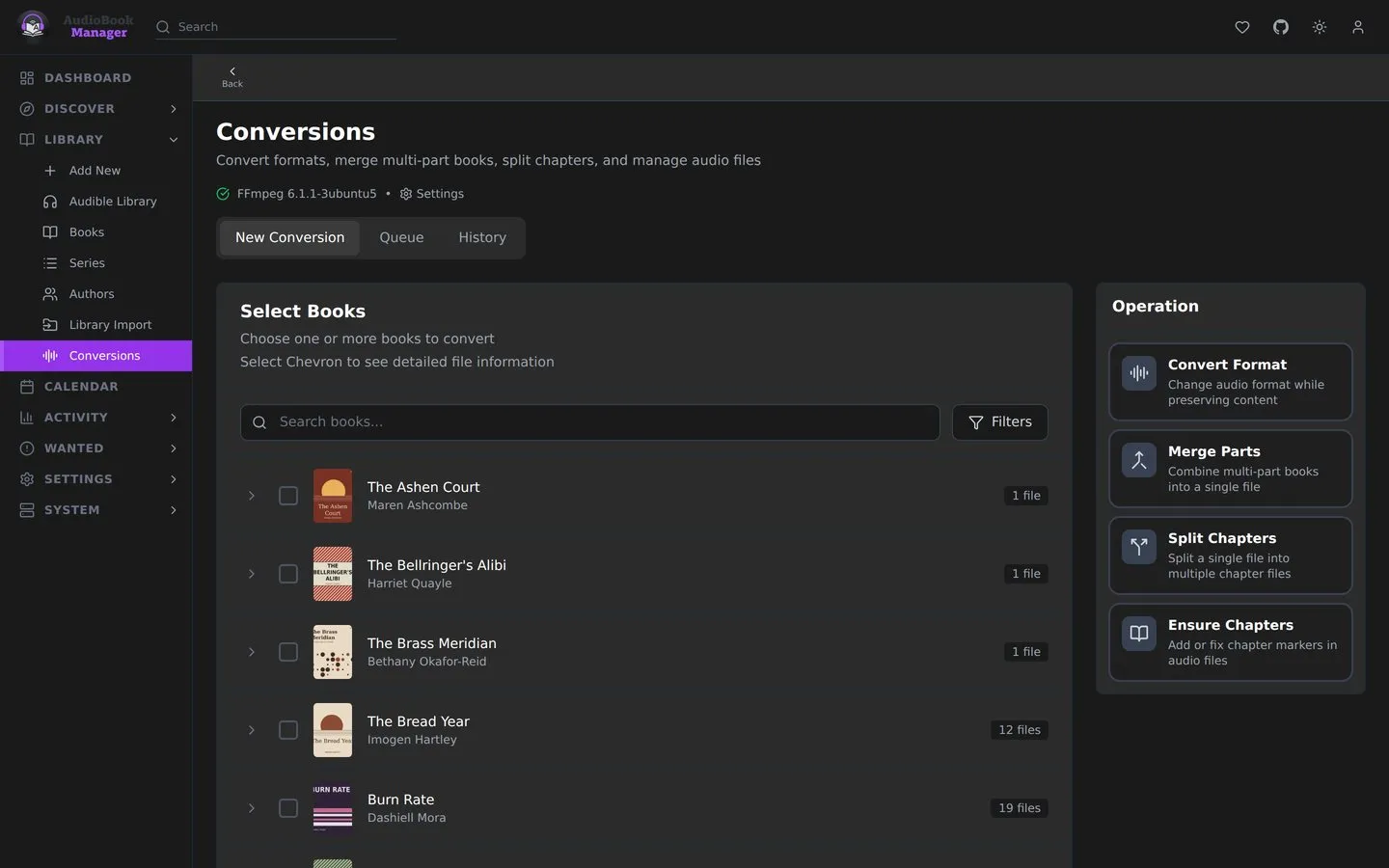
Point ABM at the books you already have and check every match before anything moves. Conversions merge, split and re-chapter files.
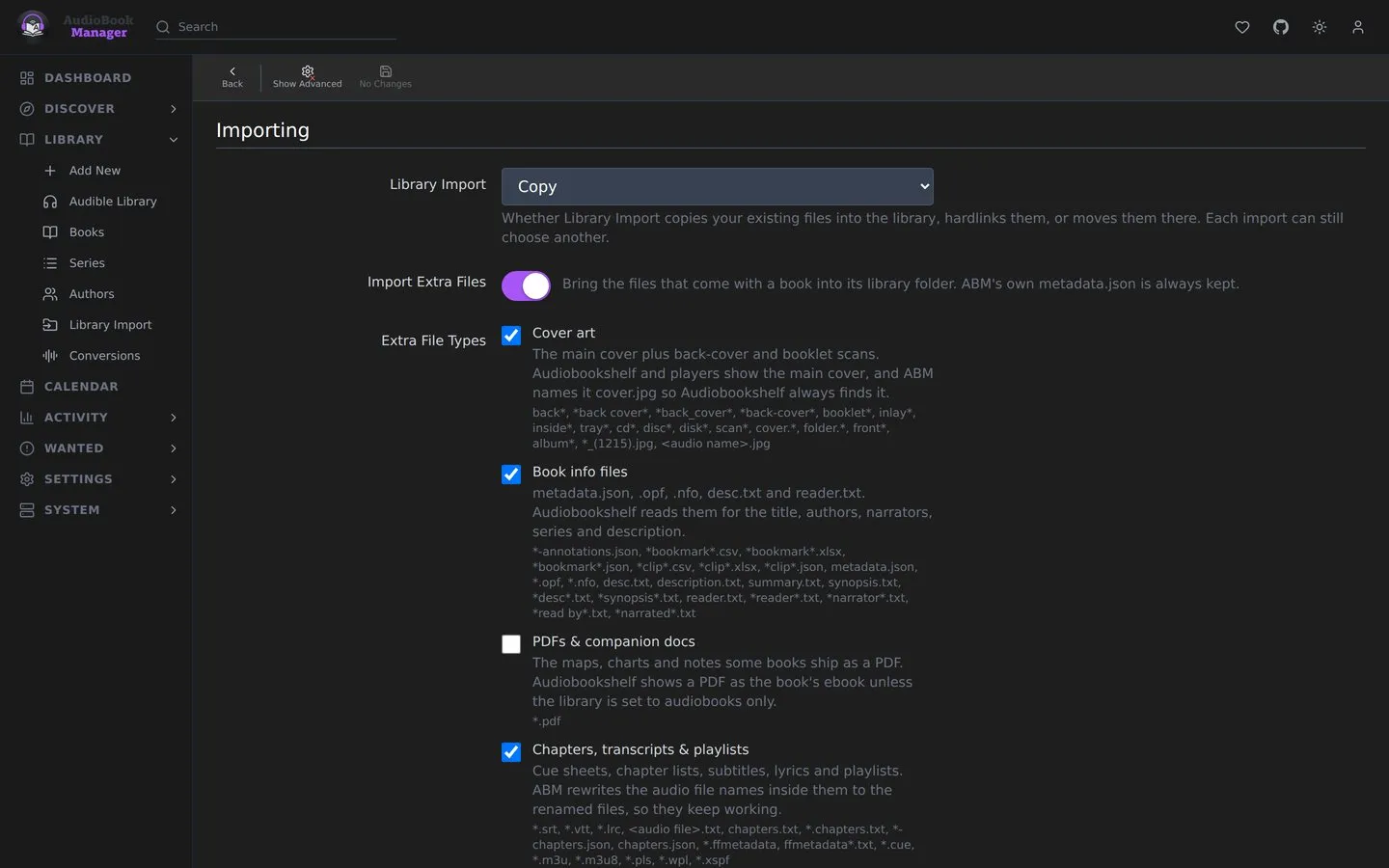
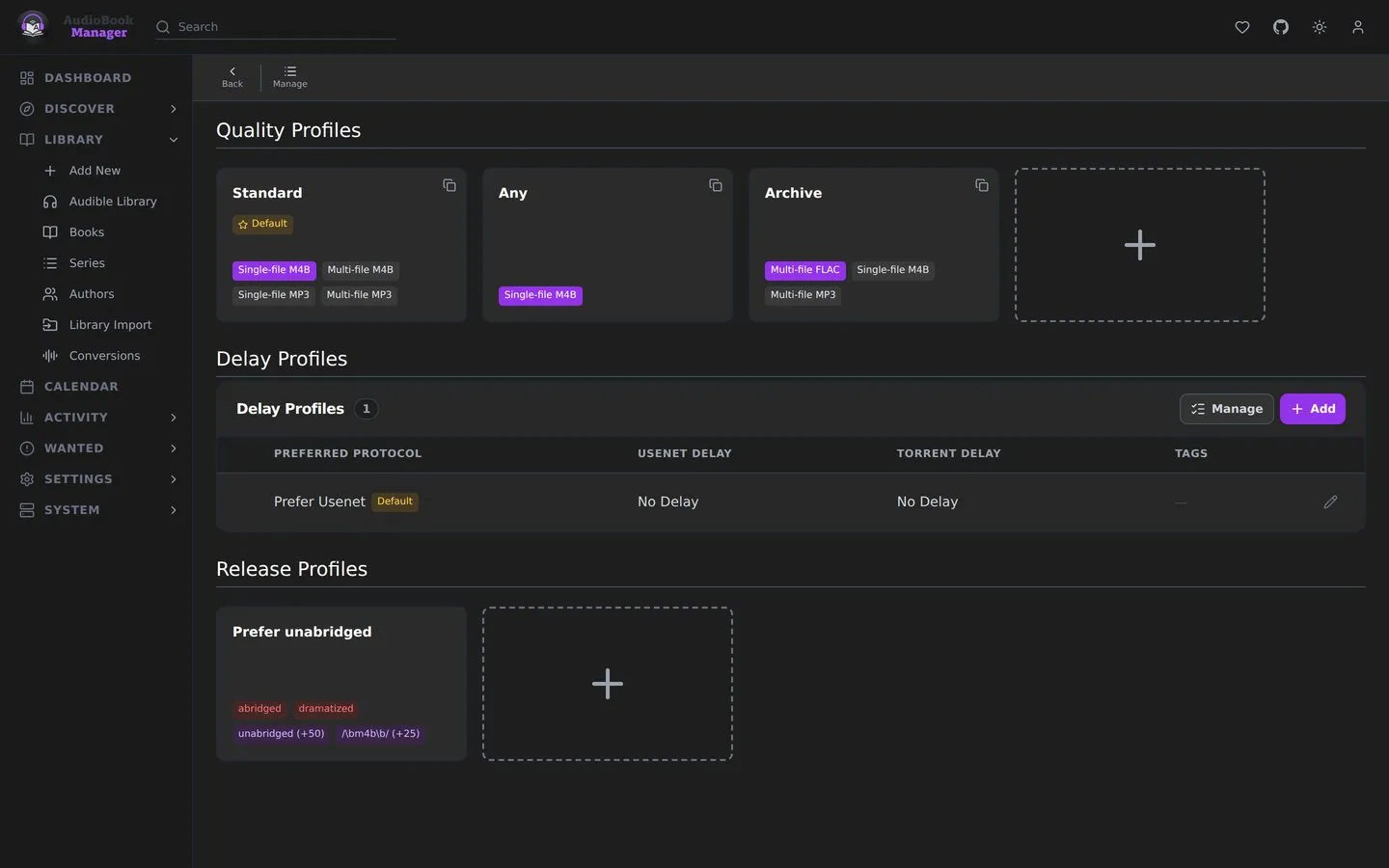
If you've set up Sonarr, you know the shape: media management, profiles, what metadata gets written where, and how conversions run.
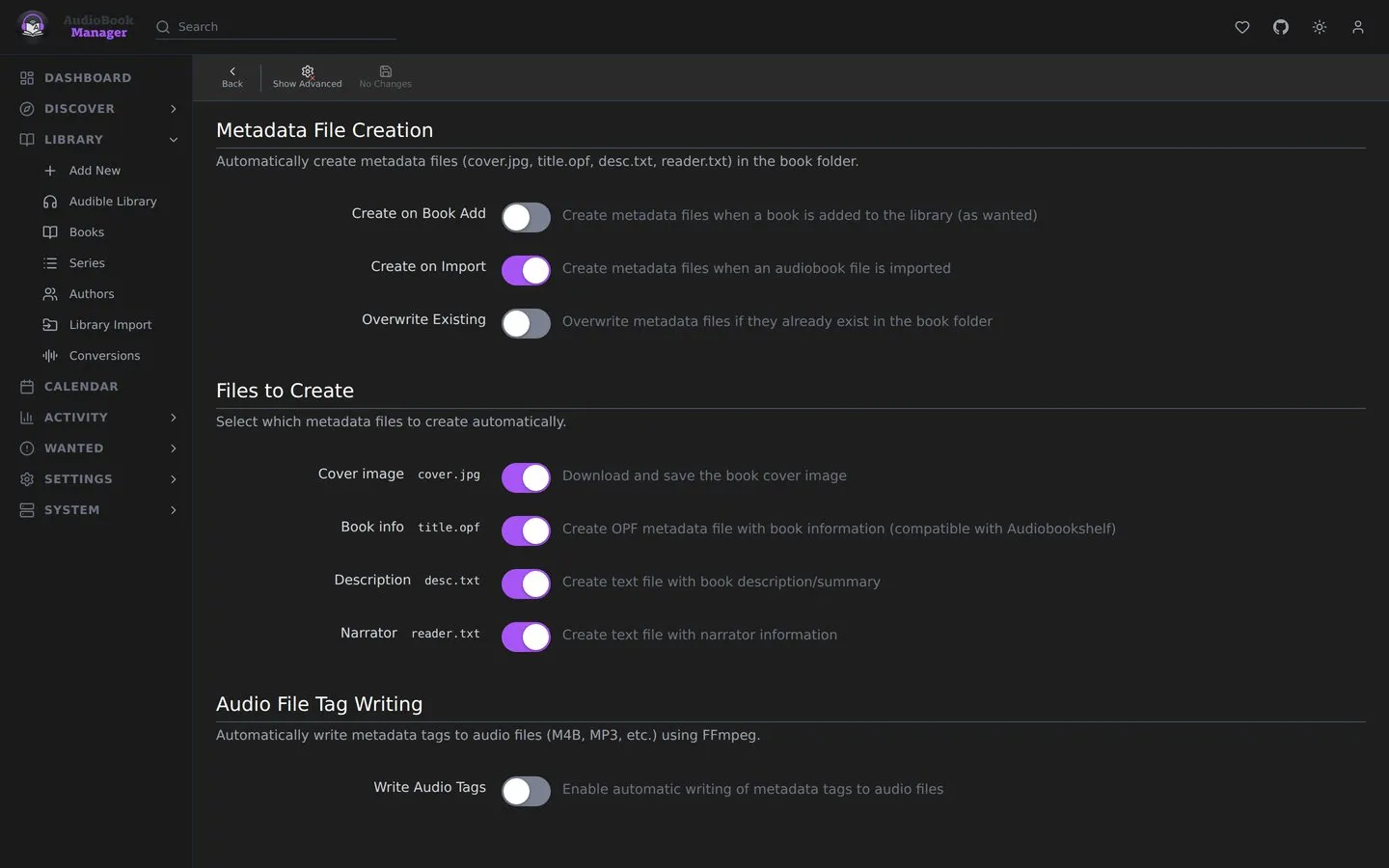
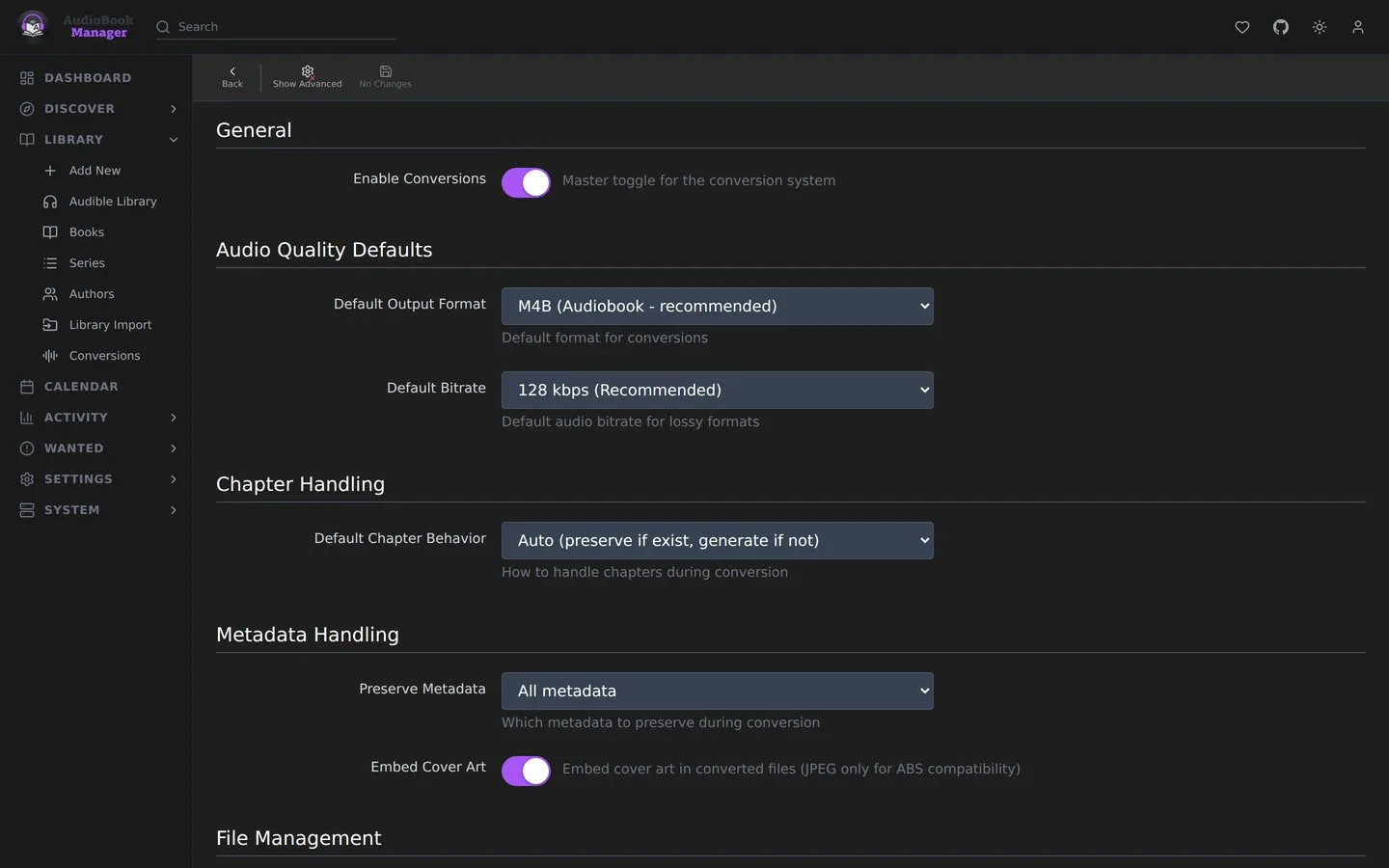
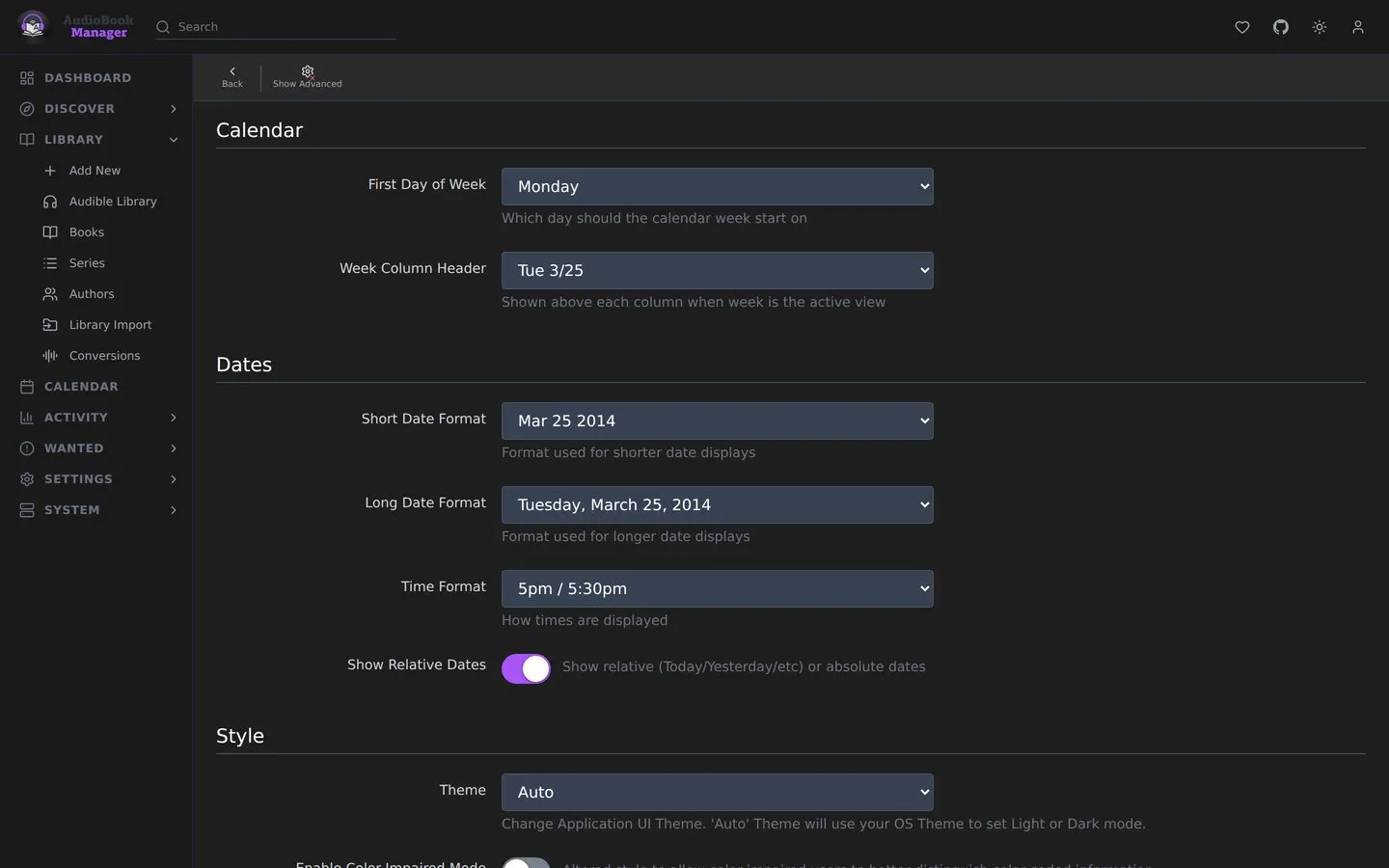
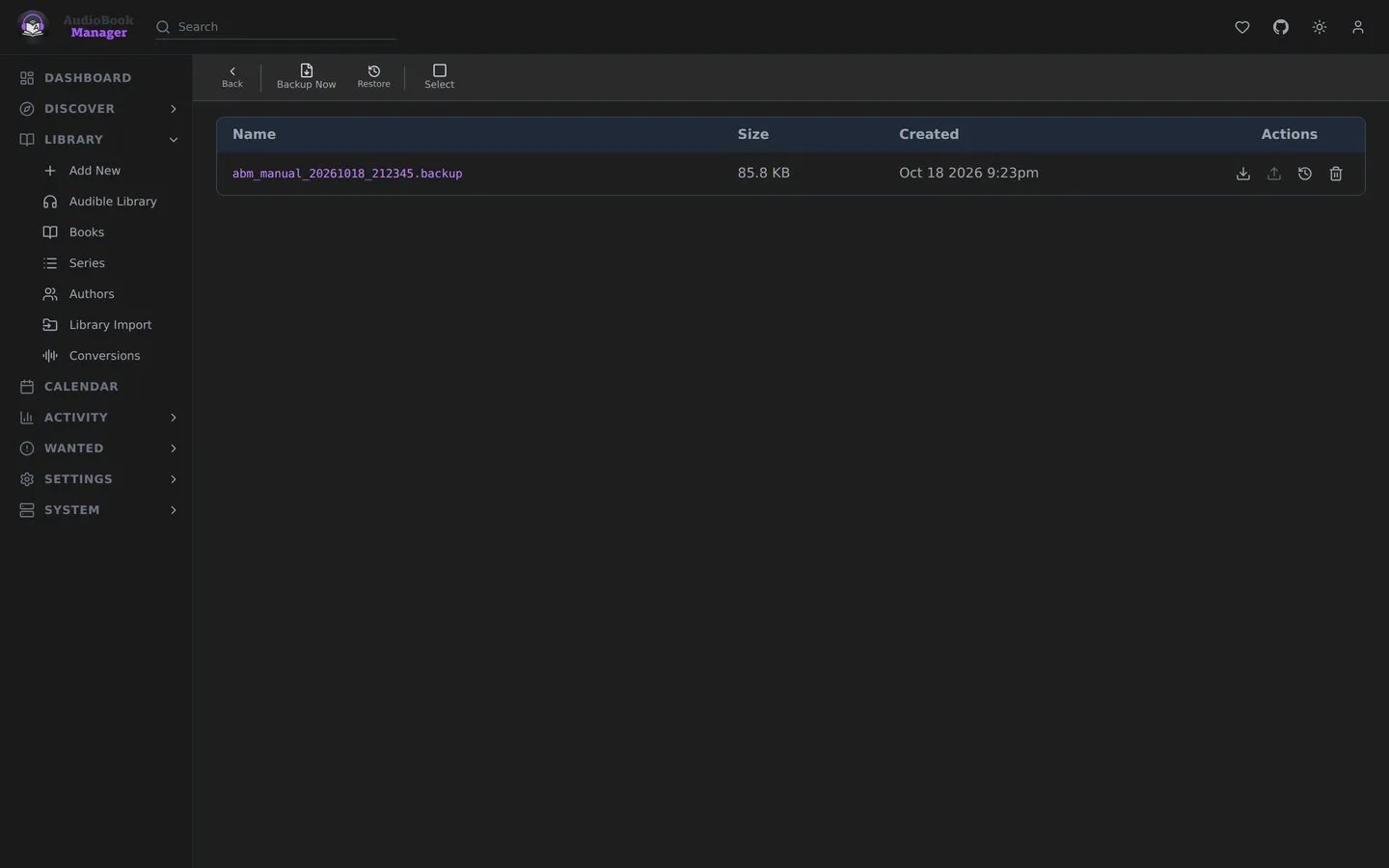
Nothing happens out of sight: a dashboard, scheduled tasks, an activity log of what happened to which book, events, log files and backups.
Built for phones too.
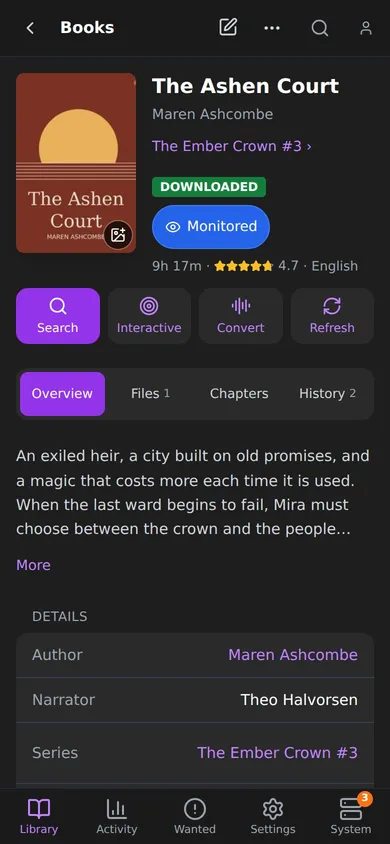
ABM works on a phone, and every page has its own phone layout. These screenshots show it.
- A tab bar under your thumb
- Library, Activity, Wanted, Settings and System sit along the bottom, and their menus slide up from it.
- Every library view
- Posters, overview and table all work at any width. Nothing gets hidden because the screen is small.
- Cards instead of wide tables
- Wanted, Tasks and the other long lists turn into cards you can read without scrolling sideways.
- Sheets instead of pop-ups
- Sorting, adding a book and picking a search result open as sheets from the bottom, and your back button closes them.
- Nothing left out
- Settings, System and Library Import are all there. It isn't a cut-down mobile mode.
Running in one file.
Not released yetThese install steps start working with the first release.
services:
  audiobook-manager:
    image: ghcr.io/sunbrolynk/audiobook-manager:latest
    container_name: audiobook-manager
    restart: unless-stopped
    ports:
      - "${PORT:-5173}:5173"
    environment:
      TIMEZONE: ${TIMEZONE:-UTC}
      LOCAL_NETWORKS: ${LOCAL_NETWORKS:-}
      TRUSTED_PROXIES: ${TRUSTED_PROXIES:-}
    volumes:
      - /path/to/library:/audiobooks
      - /path/to/downloads:/downloads
      - /path/to/config:/config
- Save itPaste that into
docker-compose.ymland change the three paths on the left to your own folders. - Start it
docker compose up -d - Open itGo to
http://your-server:5173. The first visit walks you through setting up a login.
Build from source. From a clone of the repo, swap image: for build: . and run docker compose up -d --build.
Docker is the only way in for now. Native installs for the common setups are planned, so ABM can run wherever you already self-host:
- Linuxa native package and serviceComing
- Windowsan .exe installerComing
- macOSa native appComing
- Kubernetesa cluster deploymentComing
- Unraida Community Apps templateComing
- Proxmoxan LXC install scriptComing
/config before you upgrade, and skim the update notes first.Fair questions.
Does ABM replace Audiobookshelf?
No. Audiobookshelf is the player and ABM is the librarian. Point both at the same library folder and let each do its own job.
Where does the metadata come from?
Libex, an open metadata service for Audible data. ABM refreshes it on a schedule, and a cover you picked yourself can be locked so a refresh leaves it alone.
Do I need a separate database?
No. ABM keeps everything in one SQLite file in /config. There is nothing else to run.
Can I reach it from outside my network?
Yes, on 0.17.0 or later, but I don't recommend putting ABM on the internet, the same advice the Servarr apps give. A VPN such as WireGuard or Tailscale is the safer way in. By default, anything from outside your local network has to sign in, and setting Authentication Required to Enabled makes everyone sign in, your own LAN included. Behind nginx, Traefik or Caddy, set TRUSTED_PROXIES to the proxy's address. Stored credentials are encrypted.
What happened to Readarr?
Readarr handled books and audiobooks together, and it has since been retired. ABM is for audiobooks alone, built on the design the Servarr apps pioneered.
What does it cost?
Nothing. It's free and open source under GPL-3.0. If it saves you an evening, the Ko-fi link is just below.
Find your people.
Have a question, need a hand with your setup, or want to talk audiobooks? Join the AudioBook Manager community on Discord for support and discussions.
Support
Something broken?
Open an issue on GitHub and attach the log from System › Log Files. The more of the log, the faster the fix.
Open an issueWant to help it along?
ABM is one person's project. Ko-fi or a Monster keeps it moving.